Writing for Print vs. Writing for the Web
Dr. Mac’s Rants & Raves
Episode #317
Using a Mac to compose words has changed dramatically over the years. In the beginning, everything I wrote started out in MacWrite, because it was the only word processor in town. Then, Microsoft Word became the standard for the publishing industry and everything I wrote I wrote in Word.
It went on like that for a decade or more.
Enter the Internet
Then, the internet came along and I realized that Word was not optimal for composing longer documents for the web. Copying and pasting text composed in Word into a field on a website rarely worked as expected. Text and punctuation mysteriously disappeared at random; words ran together; formatting rarely (if ever) survived the move from a Word document to a web page.
I spent a LOT of time cleaning up work that was flawless before I copied it out of the Word file and pasted it into a field on a website.
But I digress. While I still use Word for my “writing for print publication” workflow, my “writing for the web” workflow is completely different.
When a piece of writing is destined for a website or online-only publication (such as The Mac Observer), these days I compose in Ulysses, a fabulous text editor and much more, which I reviewed here in May 2016.
Word Processor vs. Text Editor
What makes a word processor like Word different from a text editor like Ulysses?
Text editors deal with pure text; word processors deal with styled text. Text editors aren’t WYSIWYG, so there are no frou-frou formatting options such as styles, rulers, tabs, or columns. Your words appear in a single font and size, with no confusing formatting toolbars, palettes, dialog boxes, or menus to distract you.
Ulysses is more than just a text editor, though. Since it uses its own cloud-based (or disk–based) library, you don’t Open or Save files; everything you type is saved automatically and immediately and available from Ulysses built-in file system.
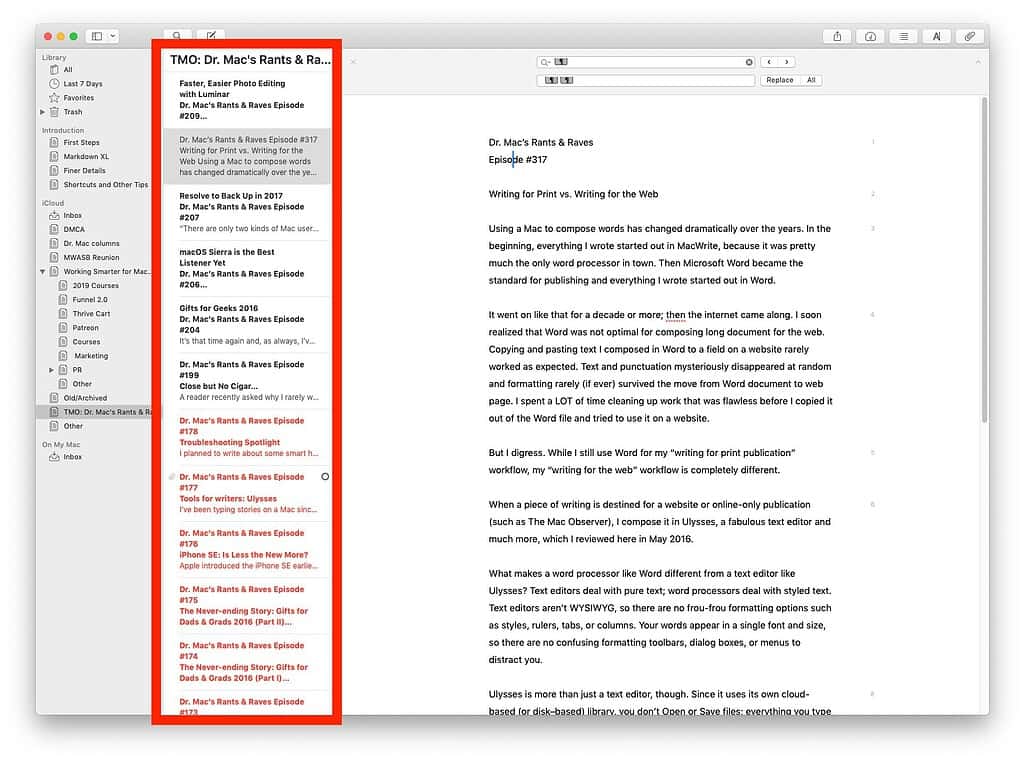
I’m also a big fan of the iPad/iPhone version of Ulysses, which looks and behaves just like the Mac version. The thing I like best is that if you store your Ulysses library in iCloud (as I do), everything you write is synchronized among all of your devices.
So, I can begin on a writing project at my Mac, and then continue where I left off on my iPad or iPhone, since everything I’ve ever written in Ulysses is available on all my devices.
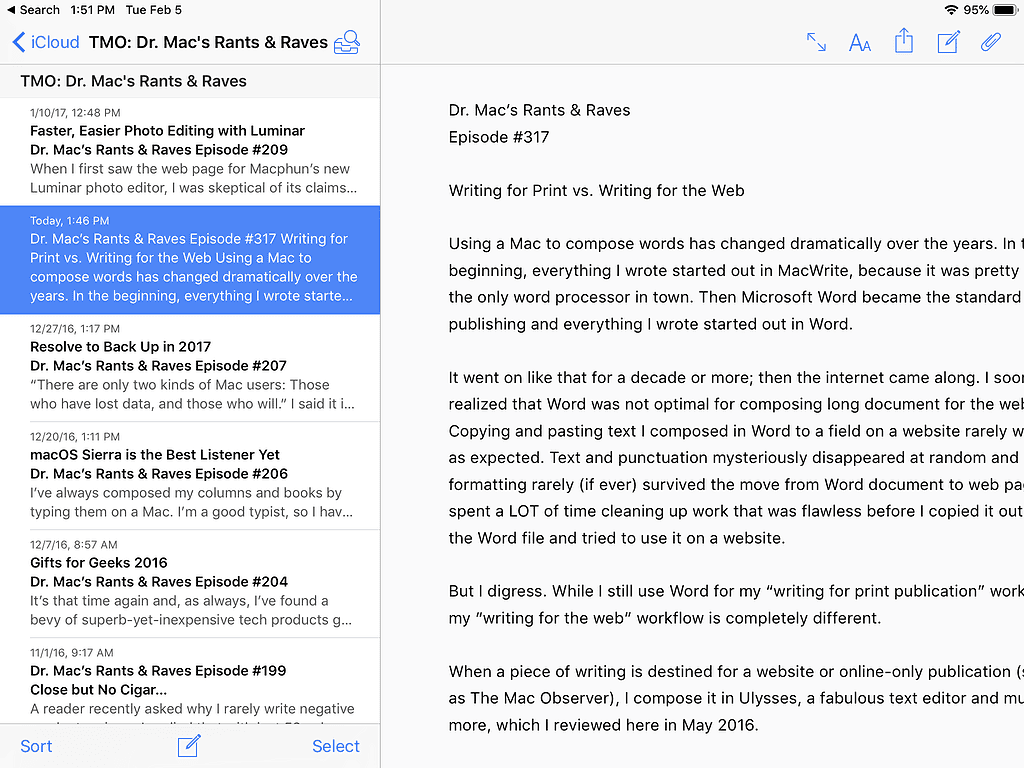
I use Ulysses every day and it’s my go-to tool for most of my writing these days. If undistracted writing sounds good to you, check out the free 14-day trial versions available in the Mac and iOS App Stores.
One Last Thing: See Me Live in Houston on February 16
I’ll be making my annual State-of-the-Apple presentation at the Houston Area Apple Users Group on Saturday, February 16. For details (it’s free), visit www.haaug.org.
Ulysses. The Soulmen GbR. $4.99/month or $39.99/year. www.ulyssesapp.com
0 Response to "Writing for Print vs. Writing for the Web"
Post a Comment