macOS: How to Check a Printer’s Supply Levels
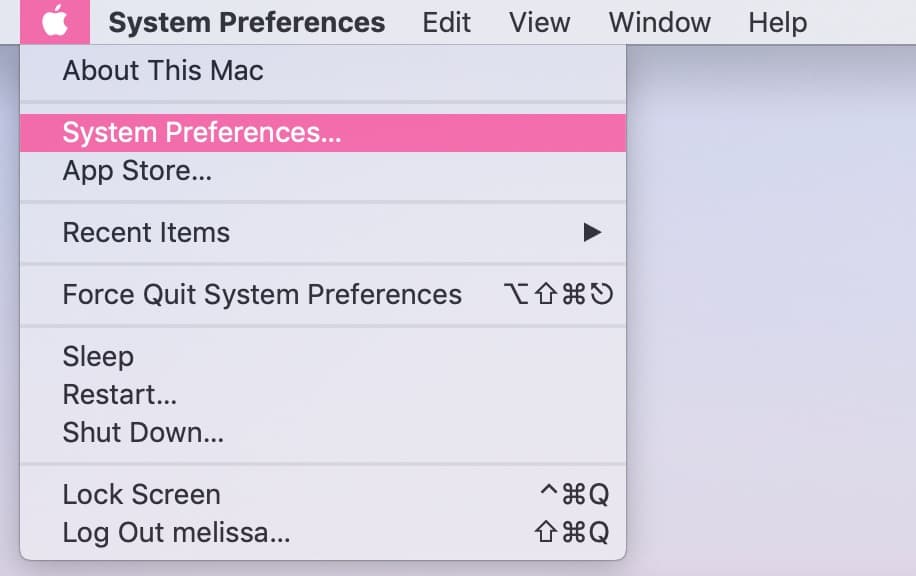
If your printer is far away from your Mac and you’re curious about its supply levels, you don’t actually have to get up and walk over to it to check things out. I mean, you CAN if you want (or if you need the exercise like I do), but if you’d prefer, you can look at that info from your Mac instead. To do so, start by clicking on the Apple Menu at the upper-left corner of your screen and choosing “System Preferences.”
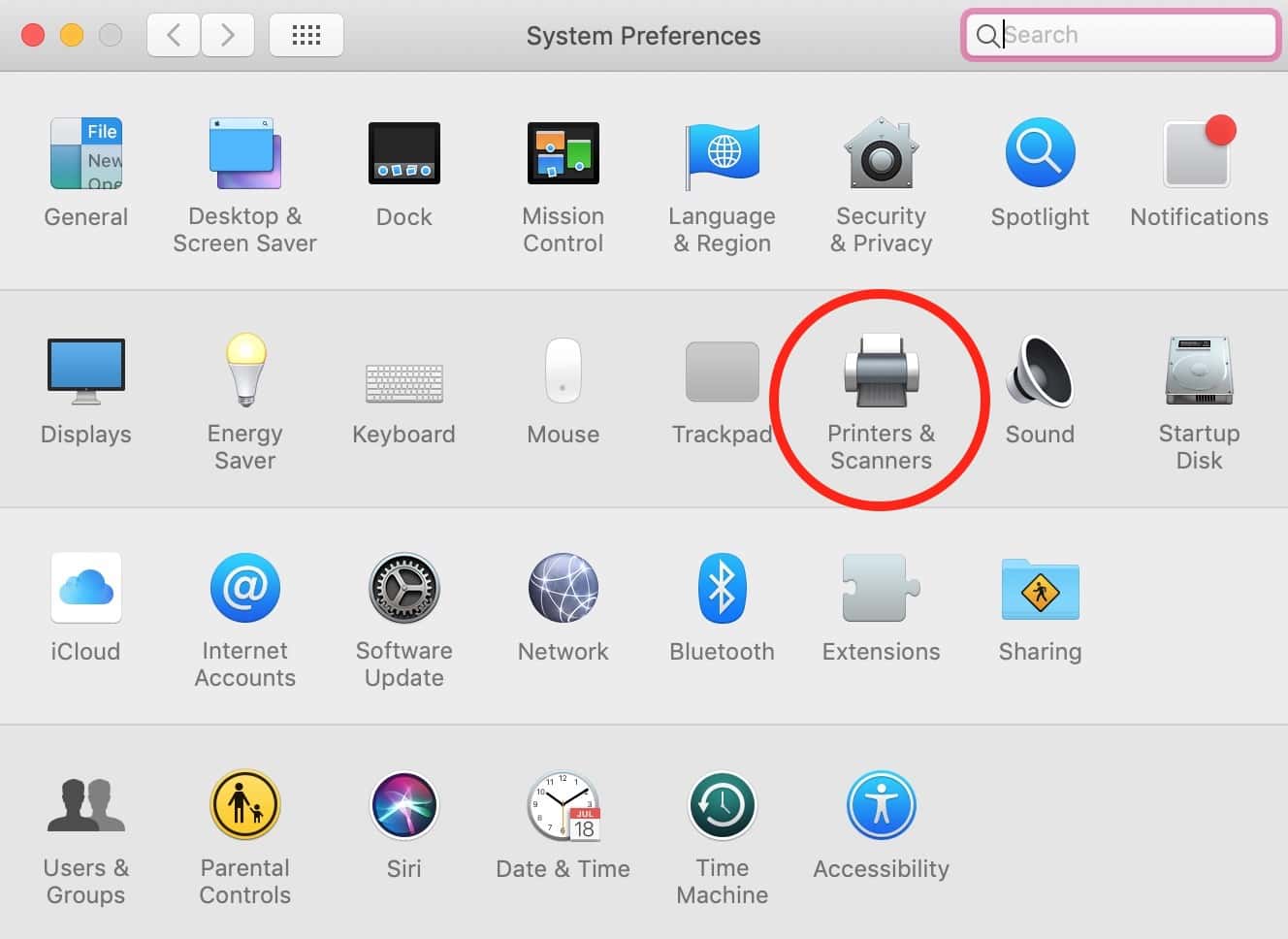
Once System Preferences launches, click on “Printers & Scanners.”
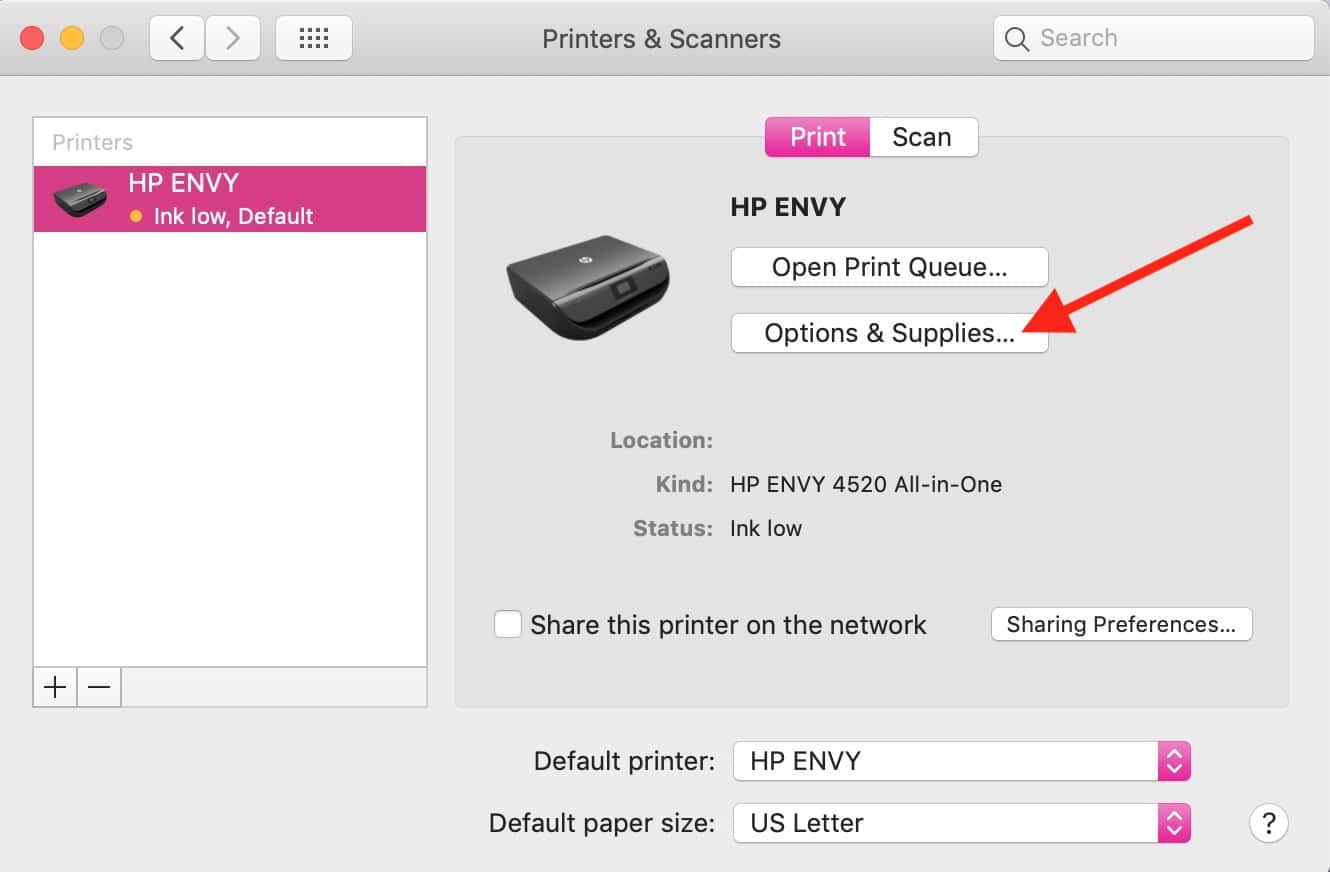
If you select one of your printers from the left-hand list, you can then click the “Options & Supplies” button.
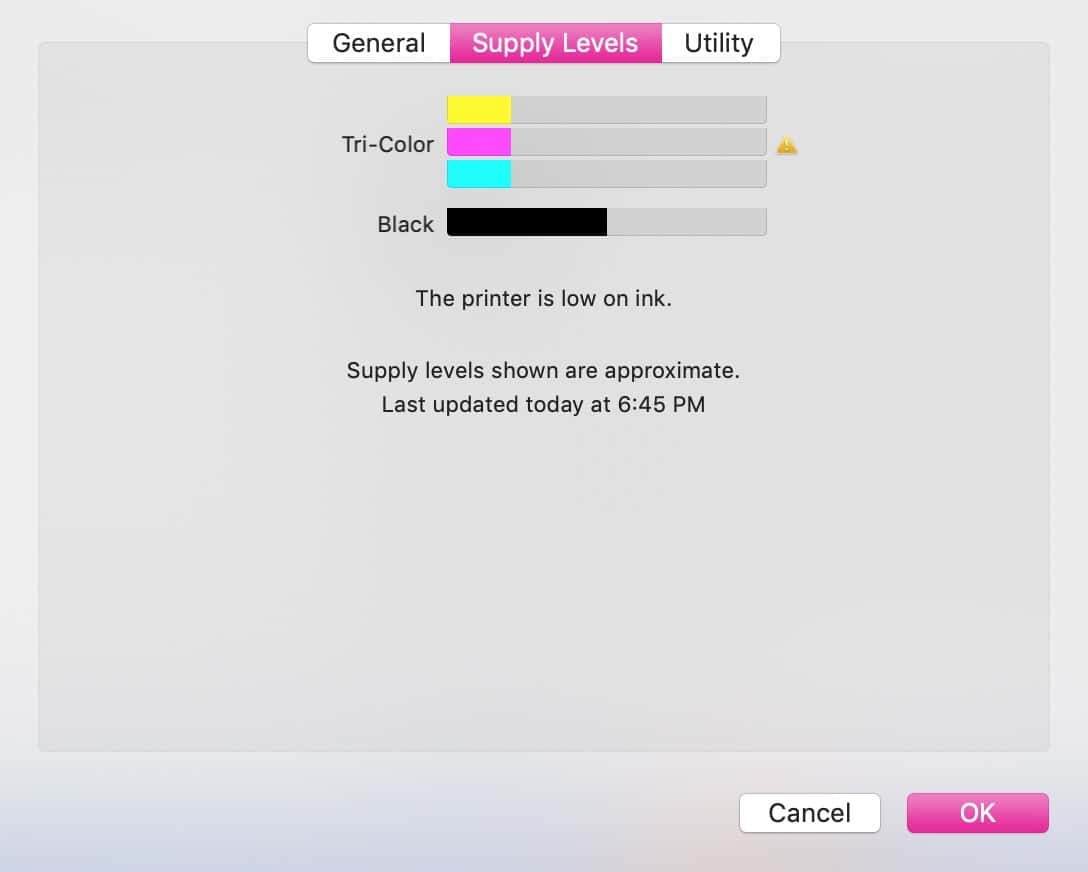
Under that will be a “Supply Levels” tab, which’ll show you the approximate ink or toner amounts remaining, assuming your printer is turned on and available on your network.
I feel like most of us won’t be using printers in the next ten years or so—I myself ran out of ink for a few months in mine before I bothered to replace it—but in the meantime, the devices are still a necessary evil. As someone who has to troubleshoot the darned things, though, I think the emphasis there is on the “evil” part!
0 Response to "macOS: How to Check a Printer’s Supply Levels"
Post a Comment