macOS Mojave: How to Reset the Mac Advertising Identifier
macOS Mojave has a new feature that brings it into parity with iOS. Like iOS, macOS Mojave has an Advertising section where you can control ad tracking and reset the Mac advertising identifier.
[Apple Is Going to Sabotage the Internet, Says Advertisers]
Mac Advertising Identifier
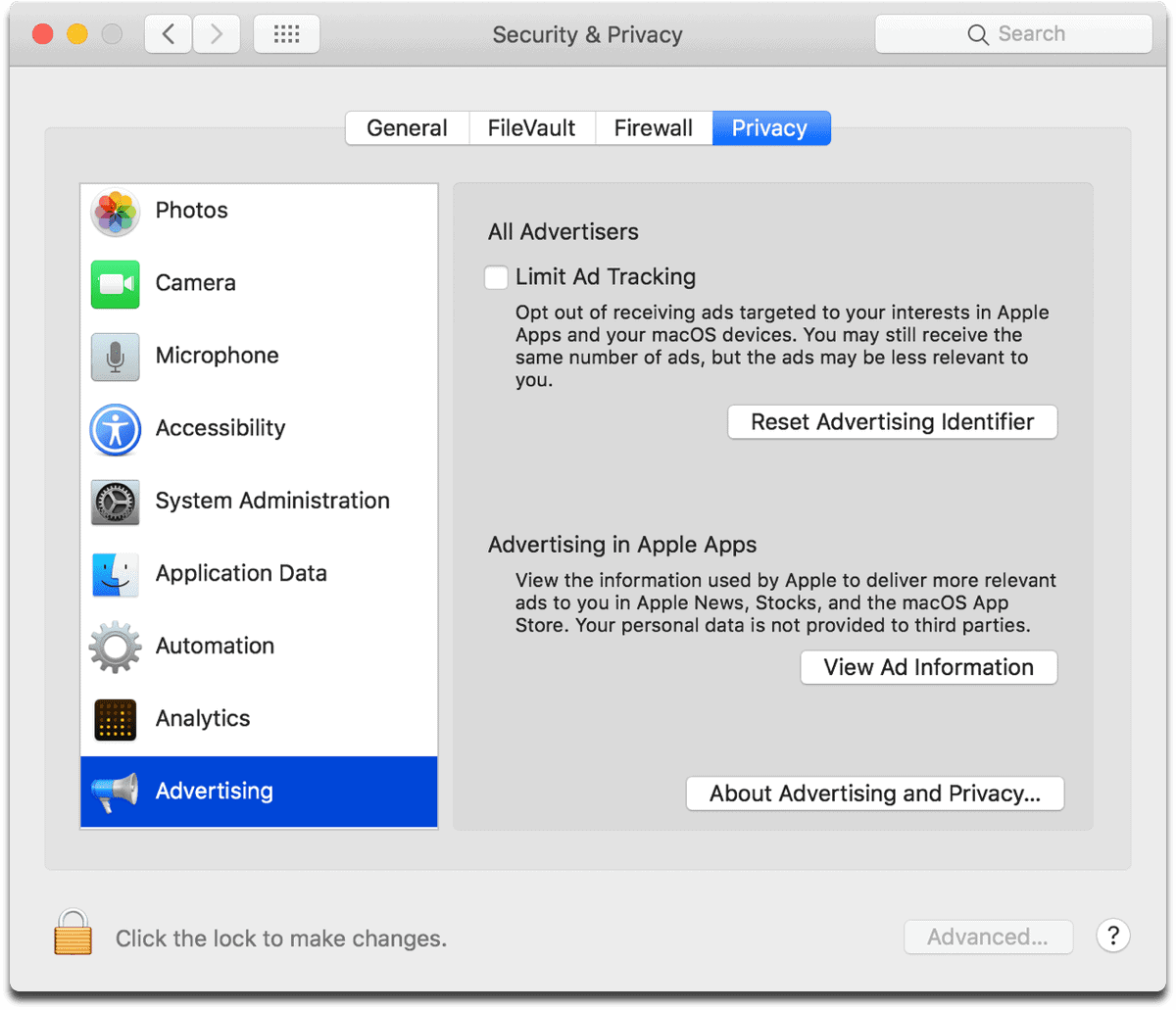
- Open System Preferences.
- Go to Security & Privacy.
- Click on the Privacy tab.
- In the left menu, scroll down until you see Advertising at the end.
You can enable or disable Limit Ad Tracking, reset your Advertising Identifier, and view the ad information that Apple has about you.
[Advertising Archives – The Mac Observer]
0 Response to "macOS Mojave: How to Reset the Mac Advertising Identifier"
Post a Comment