1Password 7 Launches Today, and Here’s How to Download It
Great news for 1Password users: 1Password 7 just launched today and is now ready to download. Here are the new features available as well as instructions on upgrading.
[How to Require a Password to Wake Your Mac from Sleep or Screen Saver]
1Password 7
First, the app has a brand new design and I think it looks great. There’s a new collapsible sidebar that shows you all of your vaults (if you have multiple), so it’s easier to organize your logins. 1Password Mini has also been redesigned, and turns into a window instead of a menu list.
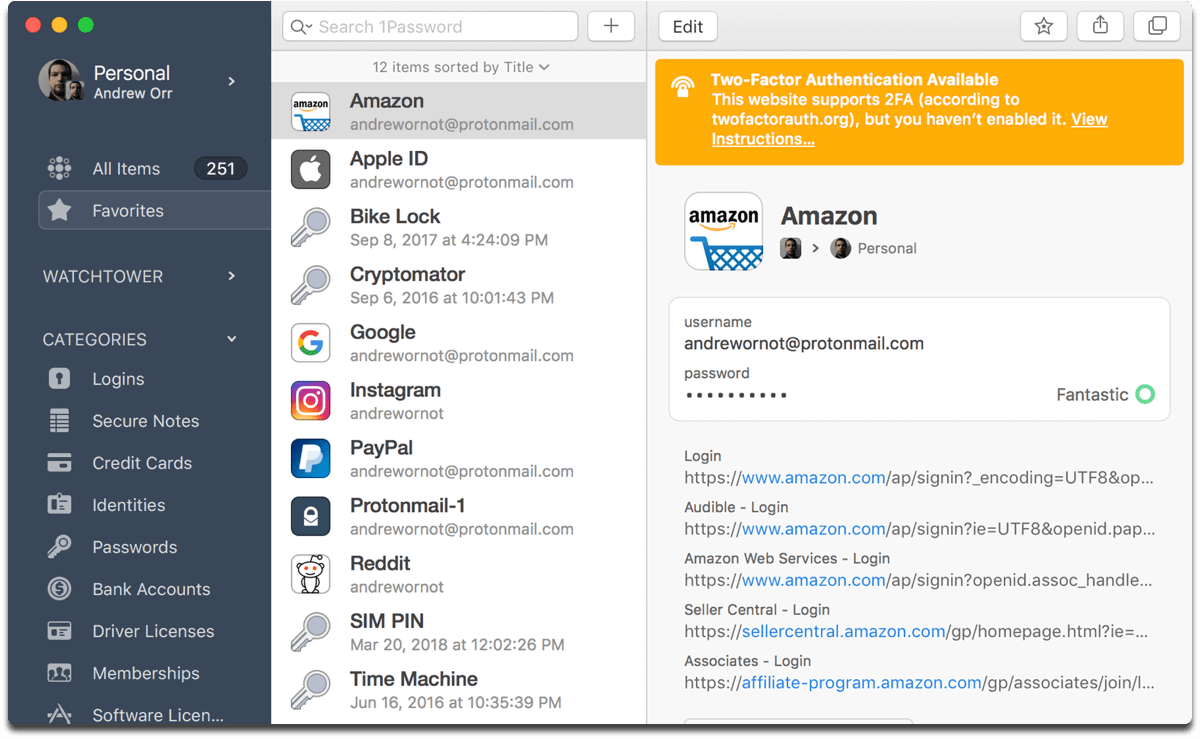
1Password 7 now lets you can which accounts you can add two-factor authentication to
When you’re filling in a login, you now have the option to drag and drop your information, instead of just copy/paste. You can drag and drop things within the app, like when you move logins to a different vault.
Secure Notes now have rich text formatting with Markdown, and you can add headers, bold/italicize text, add lists, and more. There’s a web page handy to learn how to format your notes with Markdown. Tags can now be nested, which means you can create tag categories and sub-categories. To do this, add a slash (/) between words in a tag.
Security
The security of 1Password 7 has been improved. Watchtower can let you know which logins don’t have two-factor authentication enabled, which credit cards are about to expire, and compromised logins.
Speaking of compromised logins, 1Password now integrates with the website Have I Been Pwned?, which lets you know if any of your logins were exposed in a data breach. Finally, if you have a MacBook Pro with Touch ID, 1Password now uses the Secure Enclave to protect your encryption key.
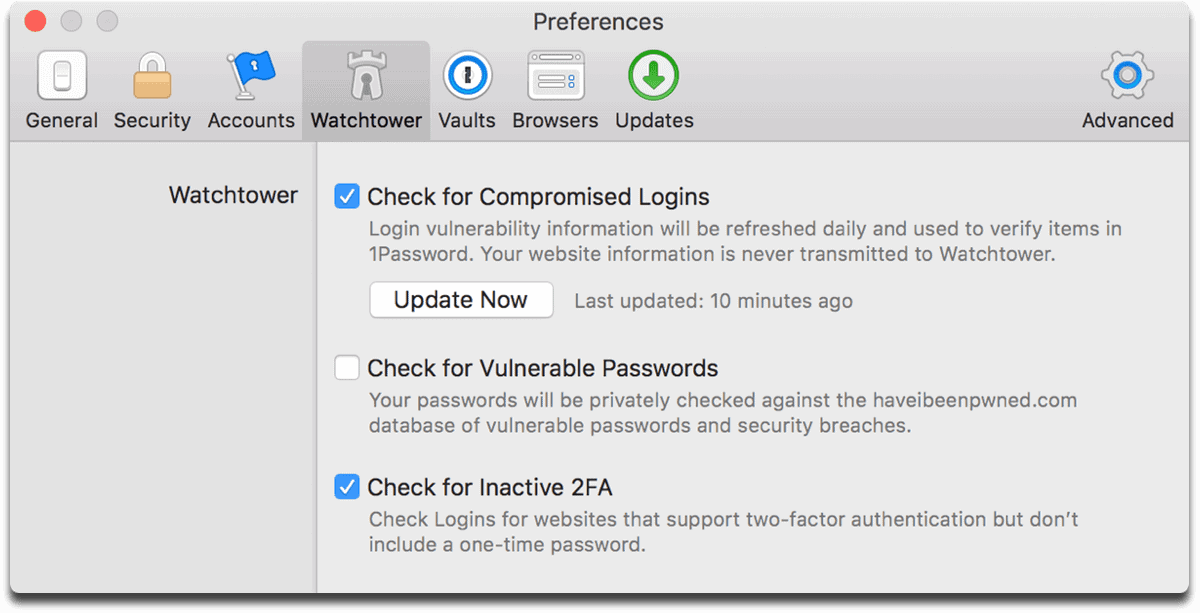
If you want to use Have I Been Pwned?, you’ll have to enable it in the app preferences
How to Upgrade
Upgrading requires macOS Sierra (10.12) or later. If you have a 1Password membership, you’re all set to download 1Password 7. When you first open the app, your accounts and vaults will be imported from the previous app version, and your folders will be converted to tags.
If you downloaded 1Password 6 from the Mac App Store, it won’t automatically update to version 7. It’s available as a separate download on the Mac App Store and 1Password’s website above. As of this writing though, it doesn’t look like it’s in the Mac App Store yet.
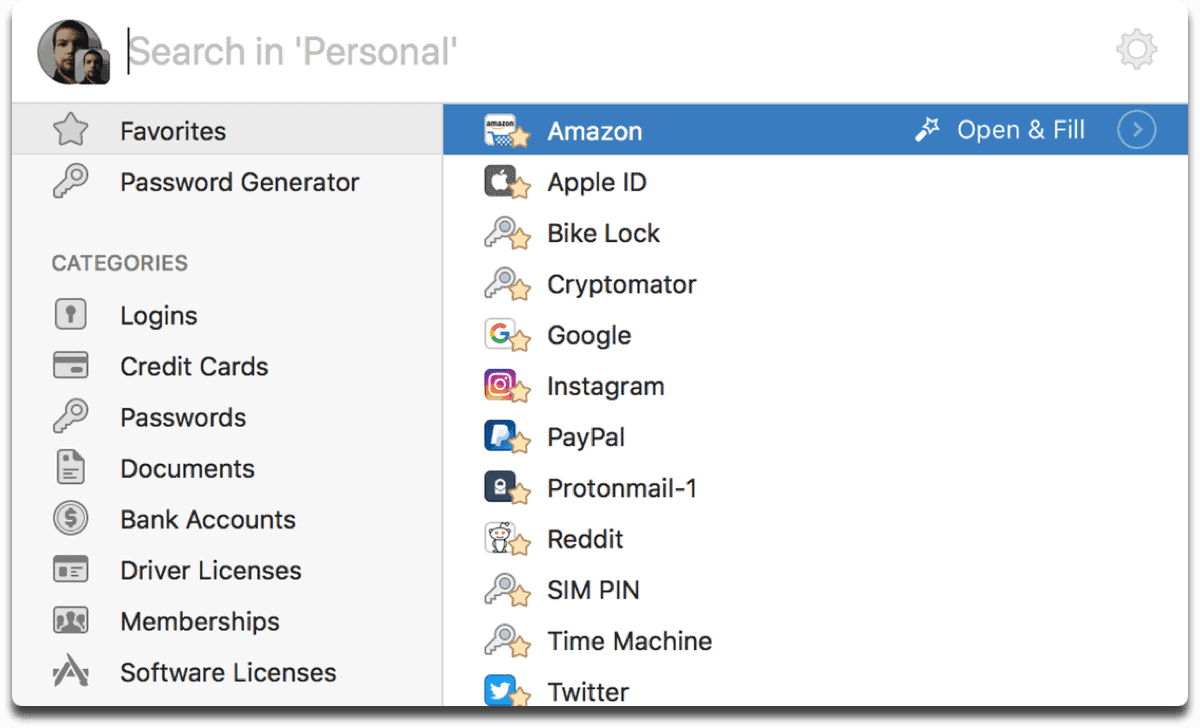
1Password Mini is now completely different
If you want to purchase a license for Mac, you’ll have to download it from the AgileBits website. For a limited time licenses are US$49.99 and will be US$64.99 after the promotional period is over.
[How to Password-Protect Your Mac Pages, Numbers, and Keynote Documents]
0 Response to "1Password 7 Launches Today, and Here’s How to Download It"
Post a Comment