My Crazy Apple TV 4K Dolby Vision Adventure
Late in 2017, I decided it was time to retire the 10 year old HD Panasonic Plasma and dive into a 4K Ultra High Definition (UHD) system. Apple had just released its Apple TV 4K and the reviews looked very favorable. My engineering goal was not merely 4K/UHD but also HDR in the form of Dolby Vision (DV). So I started my research for real. “Apple TV, 4K Mania: HDR10, Dolby Vision & HLG Explained.”
What an adventure it all turned out to be.
The Audio Video Receiver (AVR)
My previous system used a Denon AVR, but it was a 2007 model and was limited to HD. I’d need a new AVR. After much research I selected a replacement Denon model AVR-X1400H. The specs looked like just what I needed: including plenty of UHD HDMI 2.0a input ports, all supporting the various HDR formats: HLG, HDR10 and Dolby Vision. I was very, very happy with the previous Denon, and this new one looked like a good buy. I was right.
The 4K/UHD TV
All my TVs over the previous decades have been Sonys except for the Panasonic Plasma I bought in 2007. When I heard about Sony’s new OLED line announced at CES in early 2017, I was ecstatic. For various technical reasons, I wanted an OLED TV, not a backlit LCD TV, even if the backlighting were Quantum Dots. Besides, many articles I read suggested that if one is coming off a Plasma with its amazing black levels, only an OLED (with its self-emitting pixels, like a Plasma) would satisfy.
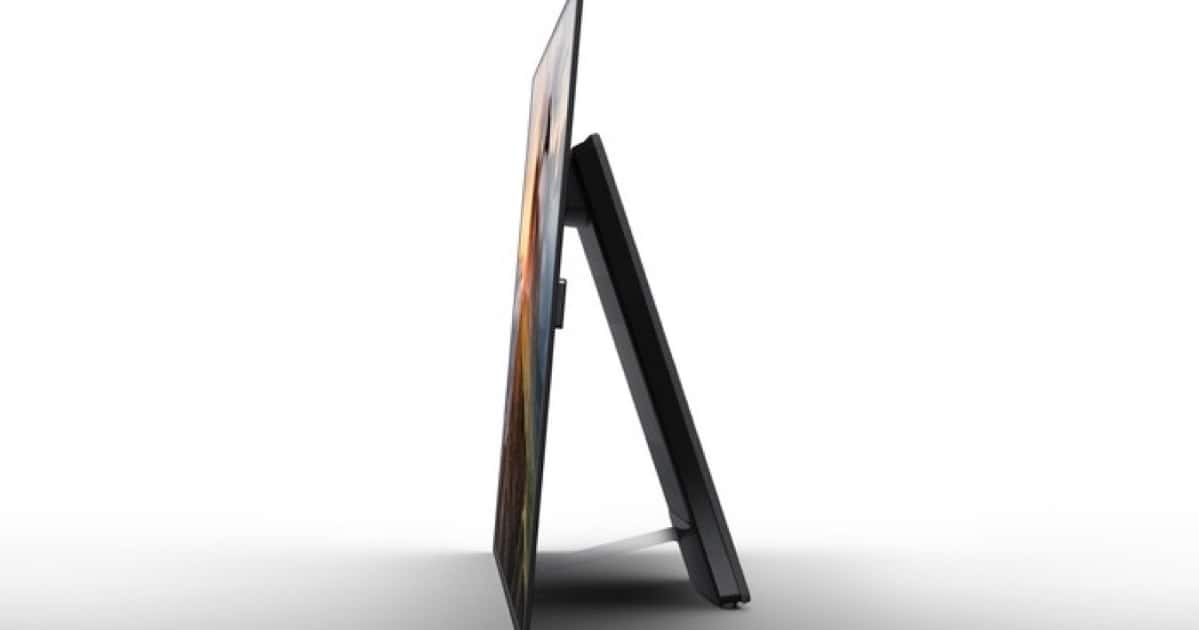
The Sony XBR-55A1E OLED 4K/UHD TV
There was just one problem. Even the smallest Sony A1E model at 55 inches was beyond my budget, about US$4,000. I wanted to spend what I had for the Plasma. So I spent the summer of 2017 stewing about what to do. Fortunately, by the fall, the price had come down. Plus, Sony offered me a media discount, and that landed me at the price point I wanted. I sprung for it in October, 2017.
All I had to do was replace the old components with the three new ones. In addition, I discovered that Apple was strongly recommending new HDMI cables, capable of 18 Gbps. (The Belkin Ultra High Speed HDMI Cable is about $30. I tried it, and it works great.) Here’s the story on the the Premium High Speed HDMI cables needed for HDMI 2.0a/b.
Once the system was set up, I started writing up a storm.
- 21Nov17: 4K/UHD TV and Apple TV 4K Buying Tips
- 28Nov17: Most Everything to Know About Apple TV 4K
- 30Nov17: How to Get 4K/UHD and HDR Content on Netflix with Apple TV 4K
- 20Dec17: How to Set Up Your Apple TV 4K
- 02Jan18: Understanding Apple TV 4K, HDR and Dolby Vision
- 16Jan18: Post CES 2018 Update on the State of 4K/UHD HDR Formats
Elusive Dolby Vision
By and by, into the new year, as I became familiar with my new system, I became aware of the fact, thanks to my Sony rep, that I would need an update to the A1E’s software to actually enable Dolby Vision. I did the update over the internet on January 18, and I thought I was done.
Far from it.
I also discovered that Dolby was rolling out some new Dolby Vision software, and not only would my TV need an update, but also the Apple TV 4K. In the midst of tvOS 11.2.x, I would eventually need tvOS 11.3.
To make the final leap, I’d need to enroll in the tvOS Beta Test program. I explained how to do that on 31Jan18: “How to Sign Up for Apple’s tvOS Public Betas.”
Eureka. I was now seeing titles on Netflix badged in Dolby Vision. But it was clear that my Apple TV 4K still wasn’t set up for Dolby Vision in Settings > Video and Audio > Format. All I could achieve was 4K HDR @ 60Hz. Essentially HDR10. WTF?
Next page; The investigation
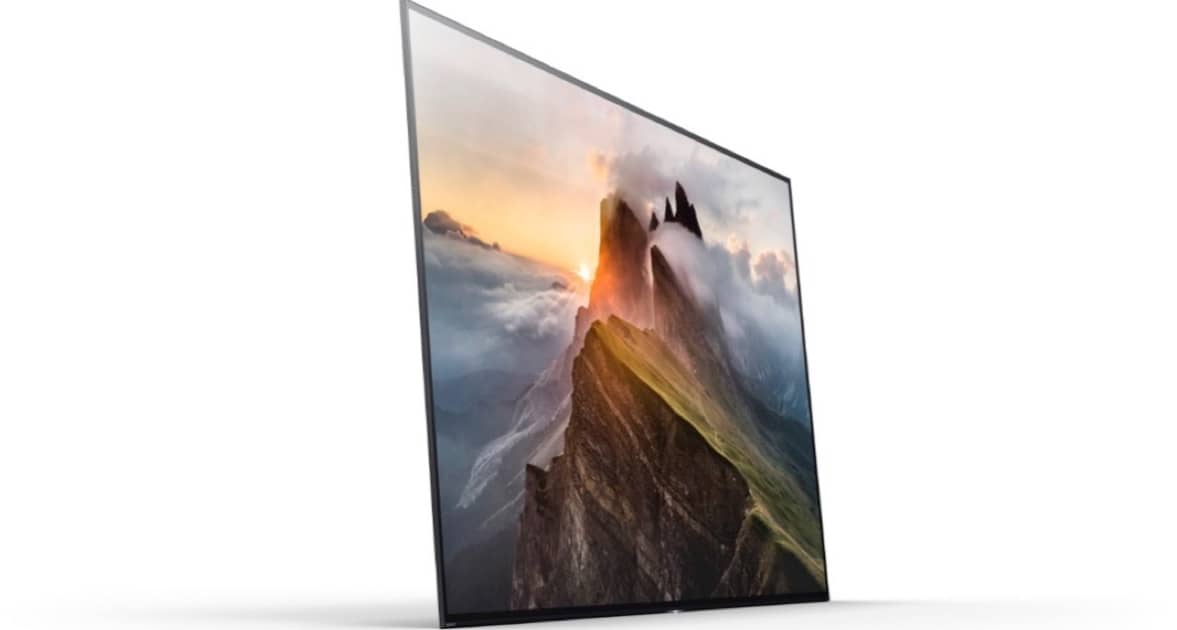
Sony 4K/UHD XBR-A1E TV with Dolby Vision
Investigation
I contacted Netflix about why I could see the DV badge, but the Apple TV 4K wasn’t delivering it to the TV. The Netflix rep was amazing, sending me a fast and very helpful response.
[It’s] correct that we will only show the Dolby Vision or HDR10 badging if the title is available in the format, a user is subscribed to the premium Netflix plan (this plan gives access to premium formats), and the device supports it. So, all stars must align for the badging to show and the stream to be delivered in that format.
The key here is that the Apple TV 4K talks to Netflix and says, “Yep. I can receive Dolby Vision content.” In turn, Netflix, dynamically, displays the DV badge. I researched more and found out that if the Apple TV 4K sees that the TV, in turn, cannot receive DV, the Apple TV 4K will downgrade the picture to HDR10 on the fly. Nice but not good enough.
What was wrong? I contacted Sony again. It was decided that I’d bypass the Denon and direct connect the Apple TV 4K to the Sony A1E. Maybe the Denon wasn’t passing the Dolby Vision metadata correctly. A wild guess. (It would be wrong.)
After doing the direct connect into the A1E’s HDMI port #2 and learning how to use the port #3 for the Denon and, gasp, set up the Audio Return Channel (ARC), I still wasn’t getting Dolby Vision. Ack! And Sony told me their test system was working fine. We both had A1Es and we both were using tvOS Beta 4 (15L5208a). Stymied.
The Phone Call
Then I got a call from Sony.
It turned out that the update I did on the TV (over the internet) on January 18, wasn’t the fully rolled out DV-enable version. That’s because Sony does a phased rollout to avoid overloading its servers. And I wasn’t yet seeing the update I needed. The Sony A1E thought it was all good still. But I was, in fact, still one update behind.
My Sony rep showed me how to jump the gun and go to their support page and direct download the latest update to my Mac. What I’d have to do is unzip the .pkg file, copy it to a Fat-32 USB stick, insert it into the A1E and perform a manual update. That worked fine. (Sony’s instructions are stellar.) I now had the very latest A1E software.
Finally, I went back to my original wiring and ran the Apple TV 4K cable into the Denon AVR. I wanted to eliminate the notion that there was anything wrong with the Denon. (There wasn’t.)
When I finally selected Media Player (Apple TV) on the Denon’s remote, I was rewarded with this glorious sight.

Yes!
At last, I had the holy grail in the Apple TV 4K’s Video settings, albeit via beta testing.
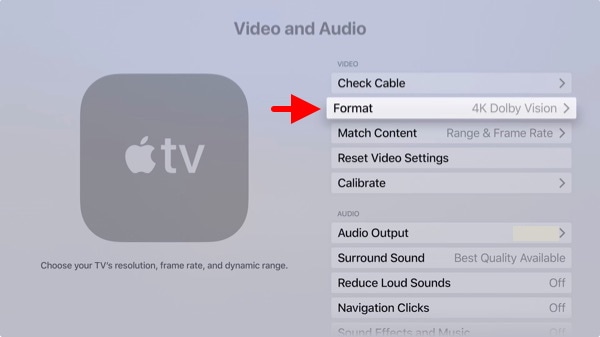
The Holy Grail. Confirming the Apple TV 4K can deliver DV to the TV.
Aftermath
I learned an awful lot during this exercise of 4K/UHD trouble shooting.
It’s a supreme exercise in carefully controlling the variables. Is it the cable? Is it the software? Is it the intermediate AVR? Is it an obscure setting in one of the devices? One has to be methodical.
Netflix or Amazon may think it can send HDR10 or Dolby Vision to your Apple TV 4K, but the 4K/UHD TV, in turn, must be set up to receive that kind of video. For example, my A1E can only receive high quality HDMI signals on HDMI ports #2 and #3. Not #1, the obvious choice in a casual setup. And, in the Sony TV’s settings, the HDR mode must be set to “Auto.” You may need to identify and set similar settings in your own choice of 4K/UHD TV.
Video equipment makers may advertise a feature in the specs, but look for the fine print: “Software update required.” It’s wise to read a review in which the author actually tests and confirms the features you’re intersted in.
4K/UHD TV is more like using and maintaining your Mac than older generation TVs. Updates and gotchas are routine. It’s important to read a lot. Assistance from a video professional, like Geek Squad, may be necessary. It’s a challednge for the average TV viewer to set up all but the simplest 4K/UHD system and make sure all features are working.
If you have an Apple TV 4K and don’t want to be a beta tester for tvOS 11.3, you’ll have to wait for the final release to get the latest Dolby Vision update required for the latest Sonys. I don’t know if tvOS 11.2.x will deliver DV to other brands of 4K/UHD/HDR TVs.
There are many cooks in this 4K/UHD stew. Making sure all the equipment is compatible and finding out which vendor is the source of a discovered problem takes time, testing, and some study. And before your start the project, careful planning and equipment selection is important.
Finally, my sincere thanks to Sony (especially) and Netflix reps who were both brilliant in their assistance with this project.
And now… off to Netflix and Jessica Jones in glorious UHD/Dolby Vision.
0 Response to "My Crazy Apple TV 4K Dolby Vision Adventure"
Post a Comment