Random Lockups Still Plague macOS Sierra and High Sierra
TMO editors and some Apple customers are reporting random macOS lockups, especially after an extended period in a screen saver.
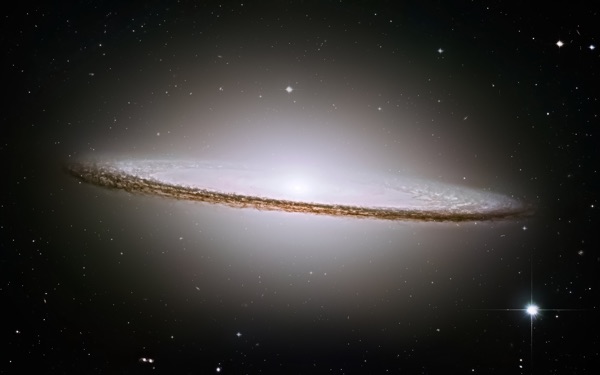
One file from the Cosmos screensaver.
In my own experience, macOS Sierra was the most stable version of macOS for my 2013 Mac Pro. It solved a major graphics freeze issue that was not in the OS the Mac Pro shipped with, Mavericks, but was rampant in Yosemite and El Capitan.
High Sierra
After installing High Sierra on the 2013 Mac Pro, there was an initial email glitch which I wrote about. “Adventures With the macOS High Sierra Install.” Other than that, High Sierra looked very stable. I had 20 days of continuous uptime—much of it with the default screensaver “Shell” kicked in.
I used that screensaver because, in Sierra, it appeared that the more stressing screensaver “Cosmos” would lock up my Mac Pro after about 6-12 hours. I mistakenly thought that the simpler, built-in screen saver would exempt me in High Sierra. It did not.
About a week ago, that simple screensaver started locking up the High Sierra Mac as well after running for just a few hours. Symptoms:
- Full cursor/mouse control.
- All apps frozen in place and unresponsive.
- Keyboard unresponsive.
The only fix is to use the power button, shut down, wait a minute, then restart. Mercifully, the High Sierra system comes up quick and clean with no boot spinner.
Work Around
I’ve had just one lockup out of the blue. All the rest have been with the screensaver active. So I no longer use a screensaver. Instead, here’s what I do when stepping away:
- Apple Menu > Lock Screen.
- Turn off the display power.
Since invoking that technique, I’ve had no more lockups. Another TMO staff member reports similar success with that method.
A Wider Problem
The problems I’m having with this 2013 Mac Pro are not restricted to me. This Apple forum discussion cites the same lockup problem on another user’s 2013 Mac Pro. One user got a response from Apple support.
I have just heard back today (October 16, 2017) from my Apple support contact who has confirmed that:
Computers locking up is a known issue that is affecting many users who have upgraded to High Sierra.
As such, research will continue and it will be addressed in a forthcoming operating system update.
Clearly, 10.13.1, released October 31 and 10.13.2, released December 6, have yet to address the issue.
In addition, two TMO staff members have told me that they have experienced this kind of lockup in Sierra on very late model MacBook Pros. So High Sierra doesn’t seem to be the only culprit.
What to Do
If you’re having this lockup problem with a screensaver active:
- Disable all screensavers. Try the Lock Screen approach I described above.
- Make sure System Preferences > Security & Privacy > Privacy > Analytics is turned on. That way, Apple gets crash data from your machine and can better analyze the problem.
- Describe your experiences here in the comments for all the rest of us to learn from.
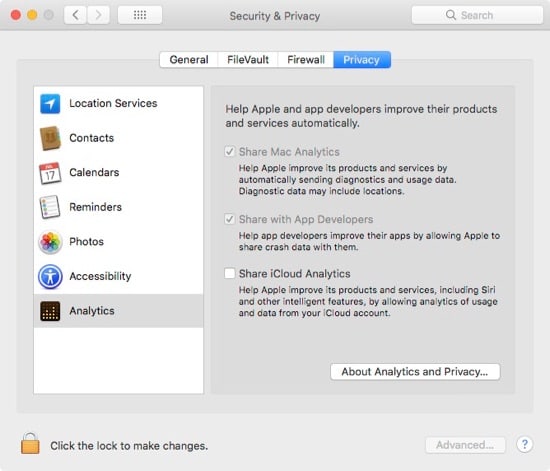
High Sierra System Prefs
0 Response to "Random Lockups Still Plague macOS Sierra and High Sierra"
Post a Comment