iPhone X: Using Reachability to Get to Control Center
As TMO’s own Jeff Gamet points out in this previous article, you can turn Reachability on for the iPhone X; this is an easy way to bring down the top of the screen on Apple’s shiny new device when you’re working one-handed. But a useful side effect is that you can then get to the Control Center on your iPhone X much more easily, too! To do this, turn on Reachability from Settings > General > Accessibility as Jeff described, and then swipe down very close to the bottom of the screen (right about where the home indicator bar sits). This’ll bring everything within reach.

When that happens, you can drag from the now-lower right edge of your icons to invoke Control Center!
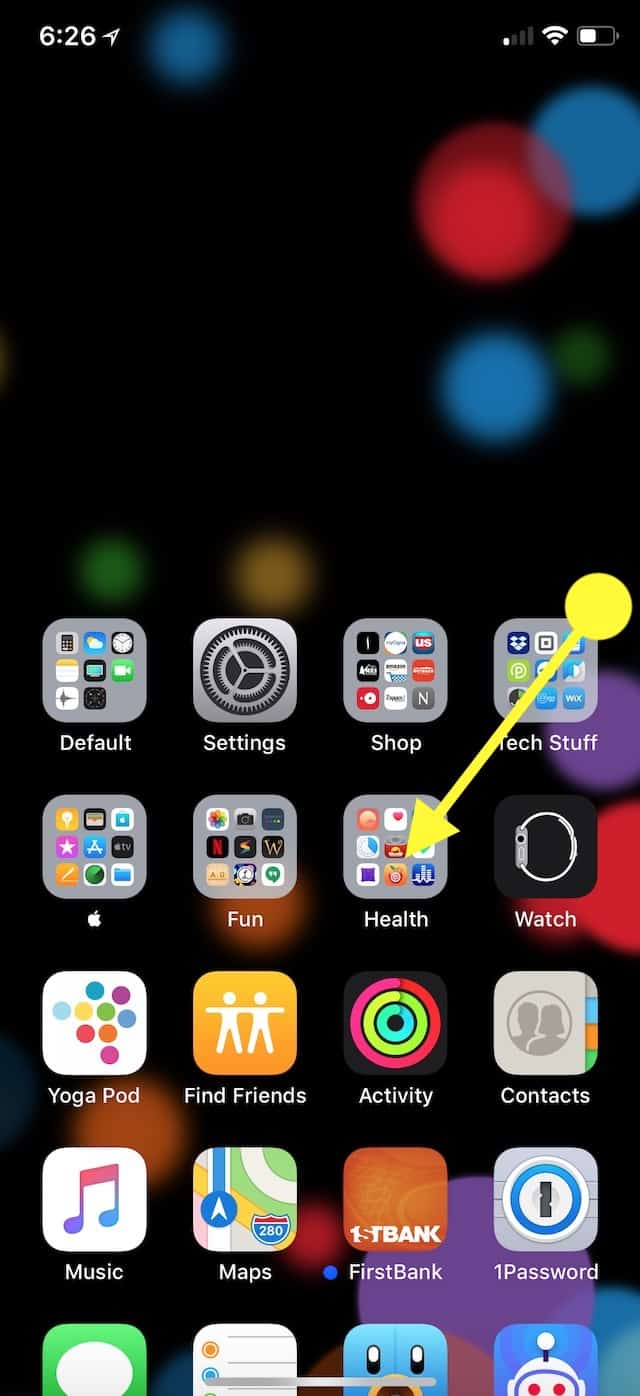
Honestly, I’m just hoping writing this tip helps me remember where Control Center even is on my iPhone, friends. Funny how I got used to the whole “no Home Button” thing in like ten minutes, but I still swipe up from the bottom of my screen at least five times a day. Get with the program, my brain.
0 Response to "iPhone X: Using Reachability to Get to Control Center"
Post a Comment