iOS: How to Prevent Your Child from Disabling Find My Friends
Y’know, every time I write one of these tips on how to lock down kids’ devices, I feel a little guilty. I wouldn’t have liked my parents doing that to me! Of course, when I was a kid, “locking down” my “devices” would’ve meant putting my Nintendo into a closet or something. Darn, I loved that thing, so I feel for you kids.
But still, this tip must be written: Let’s cover how to stop your children from turning off Find My Friends or changing the settings for it! So in case tracking your kid’s device at all times is necessary, this is how you’ll prevent anything being changed or disabled.
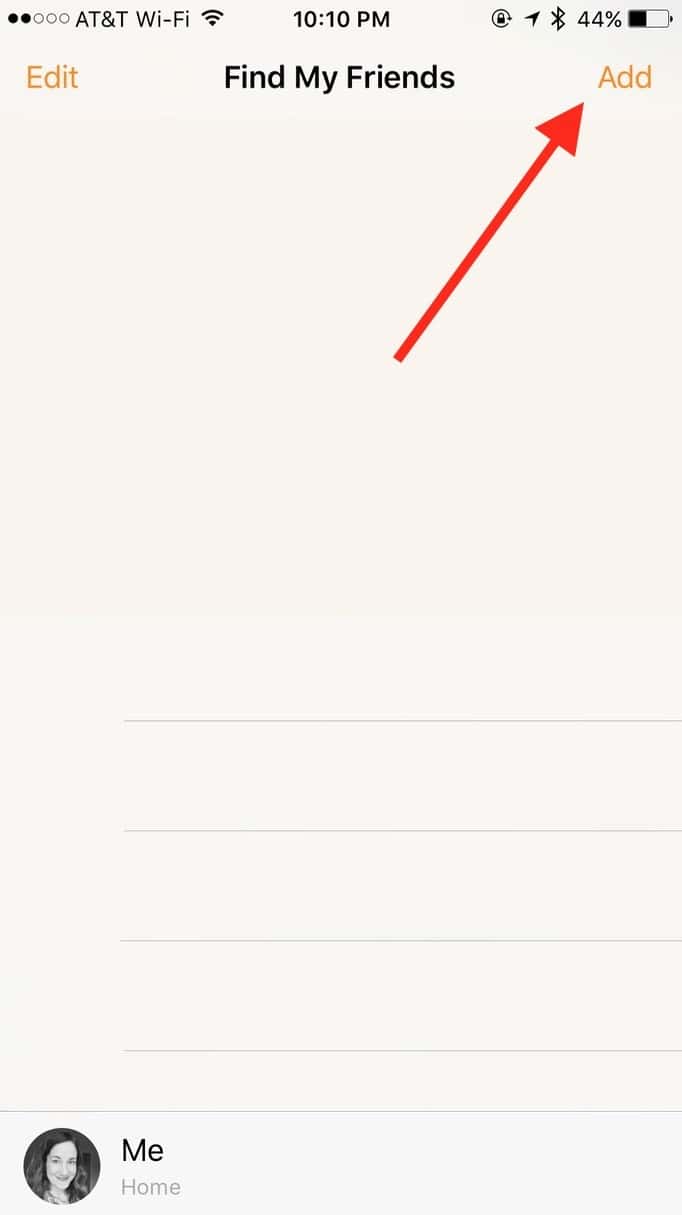
First, if Find My Friends isn’t installed on your child’s device, you’ll of course want to do that. You can get it right from the App Store if so. Within the app, then, you’ll log in with your kid’s Apple ID if it asks you to. Then click the “Add” button to send an invite to your own device.
On the following screen, type in your Apple ID or phone number.
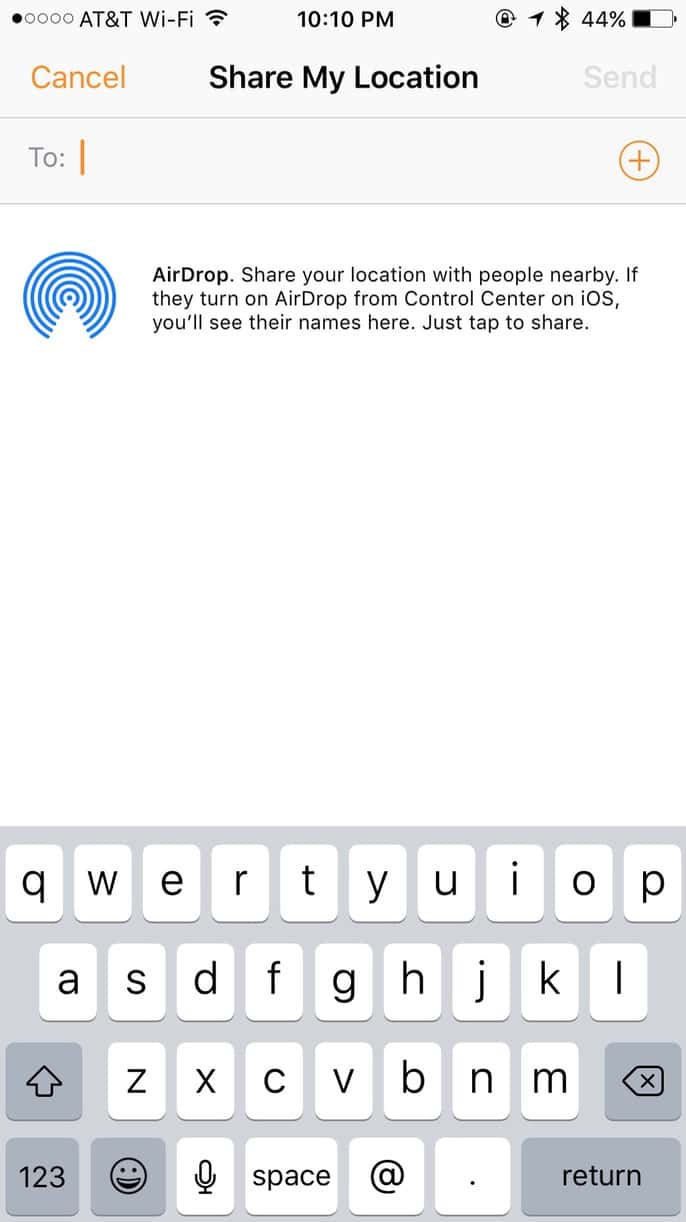
At that point, you’ll open Find My Friends on your own device and accept the invitation. (And if you need more specific instructions than the basic steps I’ve provided above, check out Apple’s support article on the subject.)
Anyway, once Find My Friends is properly installed on your kid’s device and you can see its location from your own version of the app, visit Settings> General on the child’s iPad or iPhone. There you’ll find “Restrictions.”
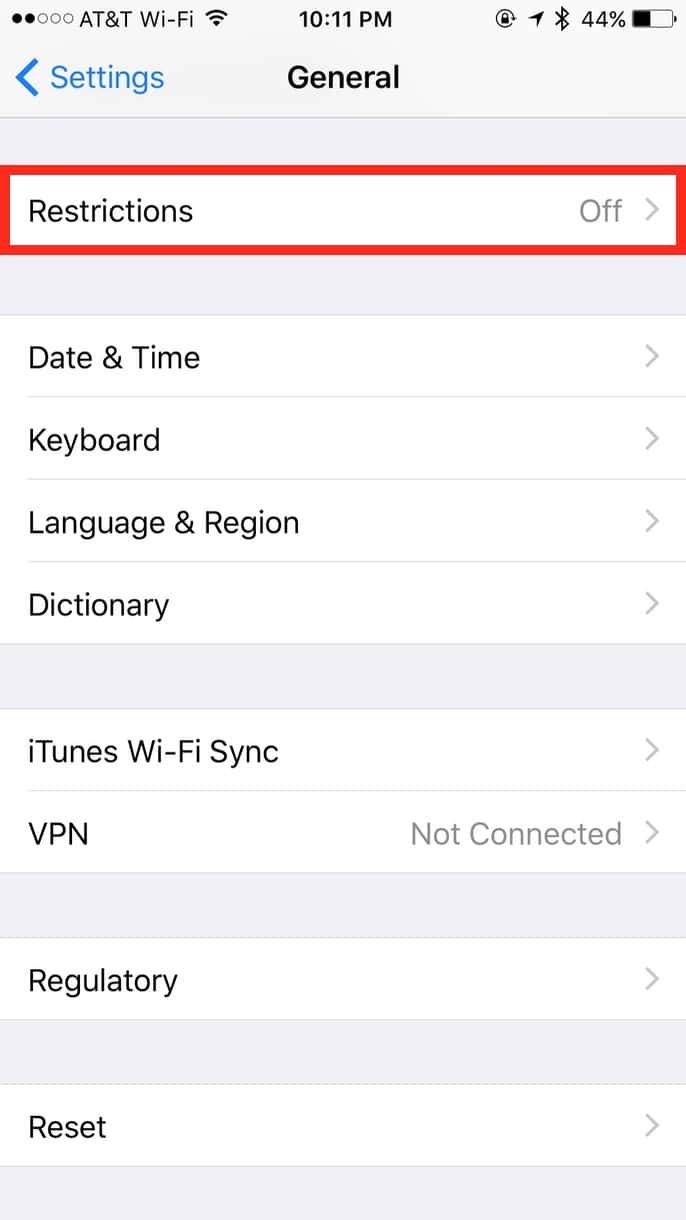
If you tap there, you’ll see a big “Enable Restrictions” button (if Restrictions aren’t already on).
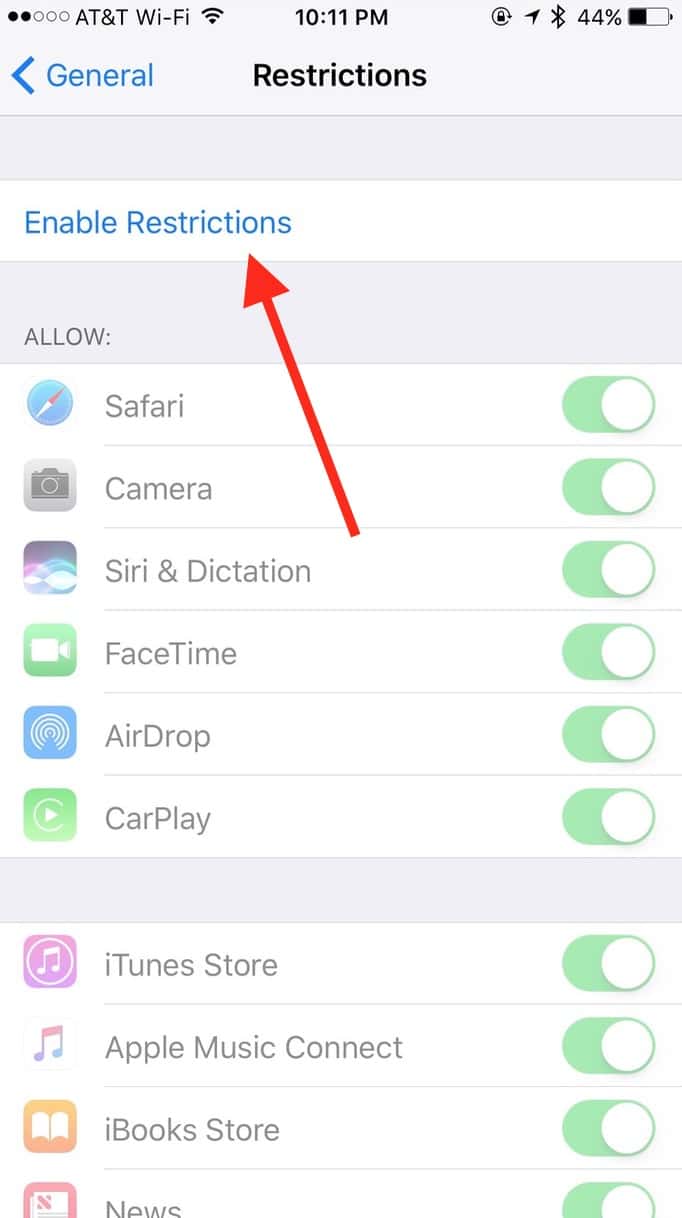
Then you’ll have to set a Restrictions passcode. Make it one your child couldn’t guess!
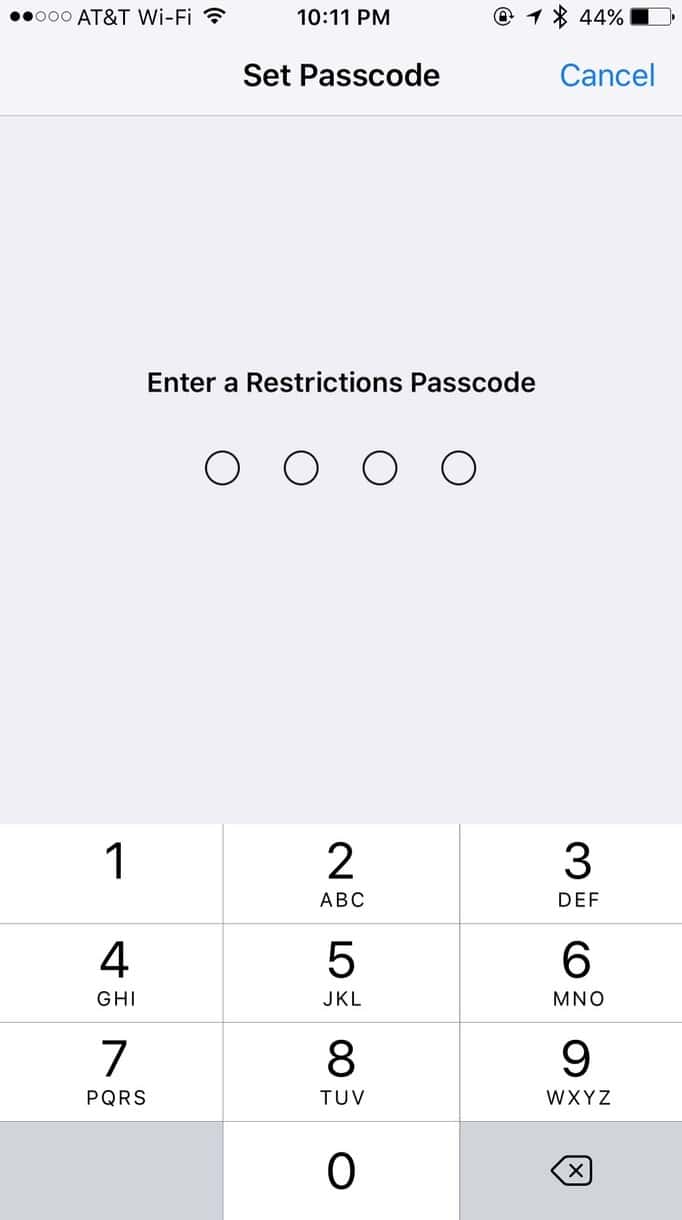
A very important note here: DO NOT FORGET THIS PASSCODE. If you do, the only way to remove it will be by wiping the device and setting it up as new. No, you won’t even be able to restore from backup! So please please write this down somewhere. And not on your hand.
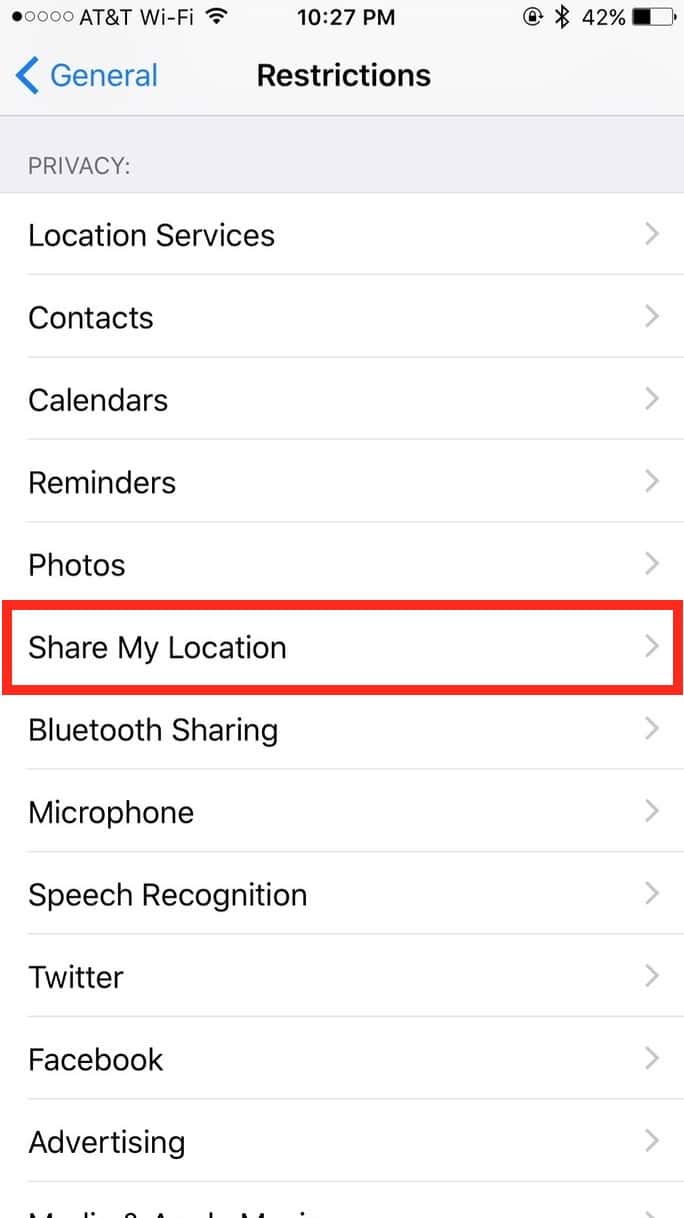
When you’ve set that passcode that YOU’RE NOT GOING TO FORGET, scroll down to “Share My Location.”
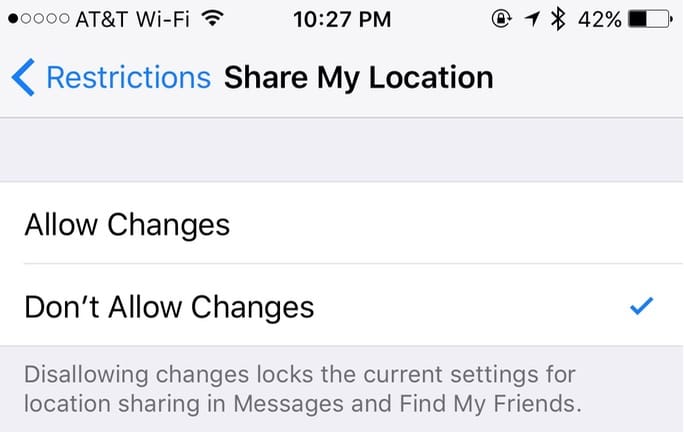
If you toggle the option within that to “Don’t Allow Changes,” you’re all set!
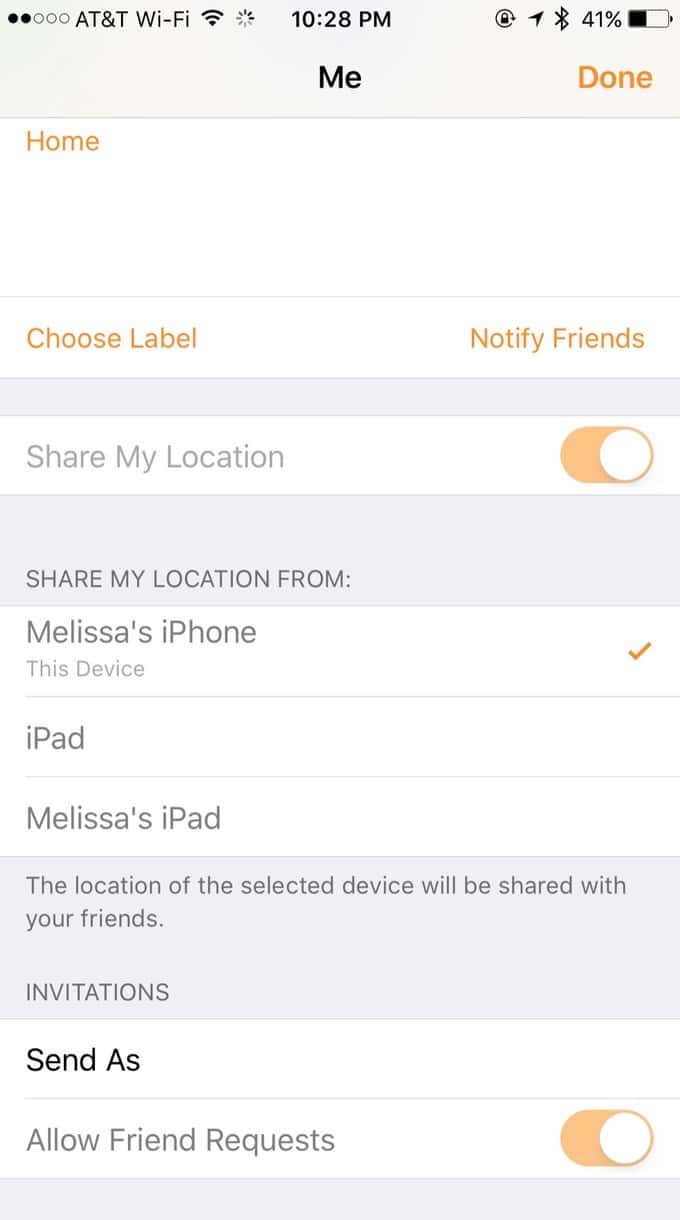
You can then reopen Find My Friends to check it out. If you, for example, tap the “Me” section, you’ll note that all of the settings that could allow your kid to obscure his location are greyed out.
I’m so sorry to all of the newly disgruntled teenagers out there. If it makes you feel any better, I don’t even have a Nintendo now that I’m all grown up and boring! Consider it karma.
0 Response to "iOS: How to Prevent Your Child from Disabling Find My Friends"
Post a Comment