Here’s Why You Still Need to Force Quit Some iPhone Apps
John Gruber penned a piece at Daring Fireball hoping to clear up the confusion for folks who routinely force quit apps on iOS, where he said:
The single biggest misconception about iOS is that it’s good digital hygiene to force quit apps that you aren’t using. The idea is that apps in the background are locking up unnecessary RAM and consuming unnecessary CPU cycles, thus hurting performance and wasting battery life.
That’s not how iOS works. The iOS system is designed so that none of the above justifications for force quitting are true. Apps in the background are effectively “frozen”, severely limiting what they can do in the background and freeing up the RAM they were using. iOS is really, really good at this.
His advice is clear: iOS is so good at managing this that you really never need to worry about it.
Gruber is 100% correct that this is true about iOS and most apps. He quotes an email from Apple’s Craig Federighi along with five pieces from developers who support his premise, and all five of those developers are folks who make apps that behave quite well within the confines of iOS.
Some apps, however, do not behave well in this regard, and we’ve researched this quite a bit for several discussions on Mac Geek Gab (shameless plug: that’s the tech support podcast we’ve been doing for 12 years where we answer people’s questions and share tips).
Background Refresh Is Only a Small Part of It
Savvy iOS users know that you can go into Settings > General > Background App Refresh and choose which apps get permission to properly re-launch at times. If you force quit one of these apps, though, it generally will not get permission to re-launch, and that may be your intended outcome.
For a good example of this, check out the (stellar) Deliveries app. This app behaves quite well, but even it is affected by a force quit. From their FAQ entry answering “Why am I not receiving any notifications?” they say:
Don’t force the app to close by swiping up on the app when the multitasking view is open. If you do this then iOS will not let the app run in the background until you manually open the app again.
But Some Apps Just Keep Running … For A While (and Longer if They Could!)
When we stumbled onto this about Deliveries, I thought maybe I found a solution for the apps that have real issues: those that chew up battery life in the background. Unfortunately, disabling Background Refresh entirely or even just specifically for apps like Facebook and Sonos does not stop them from consuming CPU in the background. And they do consume CPU in the background.
If you have Xcode, you can run Activity Monitor inside of the Instruments app and literally watch background apps consume CPU. This goes quite contrary to the iOS design philosophy that Gruber describes and, thankfully, only happens for a few apps.
Facebook and Sonos are, for me, the two that regularly keep running even after I’ve switched to another app. I’m not sure what Facebook is doing (are any of us?) but my assumption is that the app is keeping my feeds processed so that they load faster the next time I switch back to it. Regardless of the reason it’s running, I routinely force quit Facebook when I know I’m not going to use it for a while.
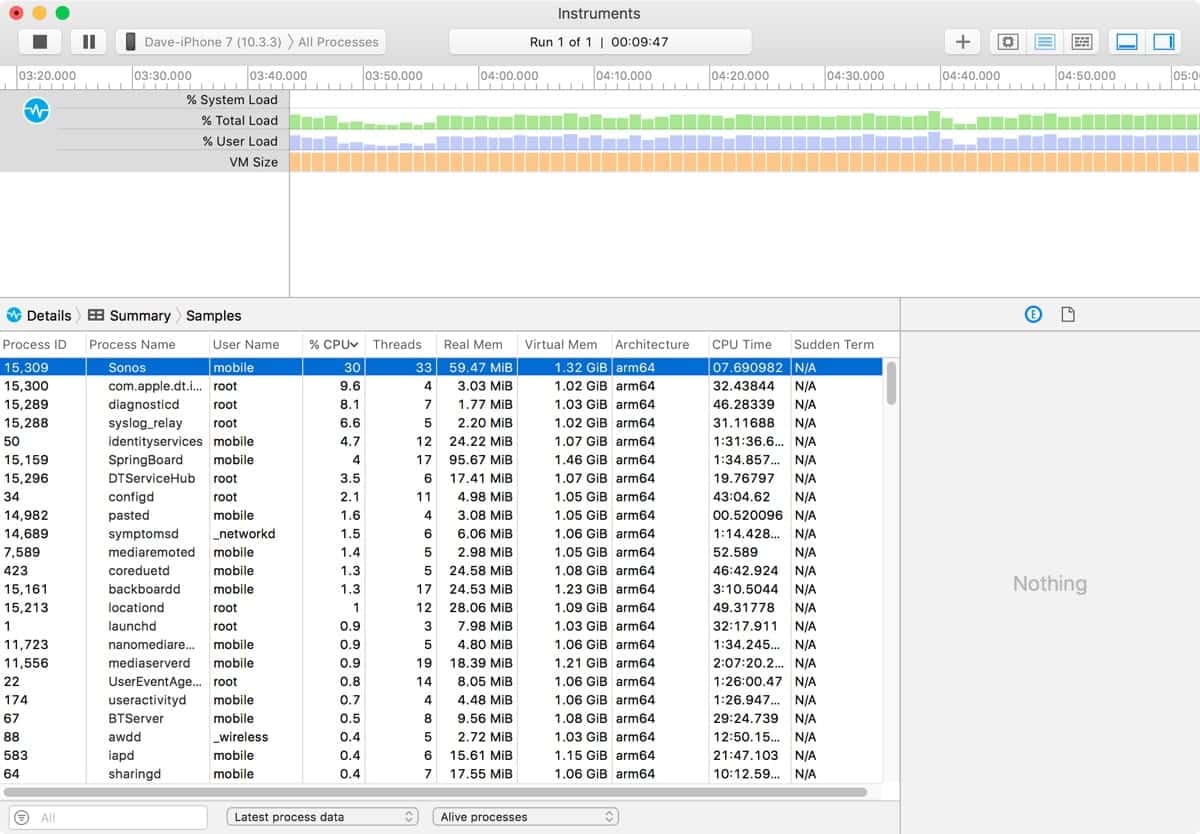
At the time of this screenshot, Sonos had not been active in over 15 minutes.
Sonos is a bit different, and my battery issues with that app really took off when they added lock screen integration to the app. It’s cool to see my iPhone screen stay up-to-date with the currently-playing song, and being able to control my Sonos speaker’s volume with the volume buttons of my sleeping iPhone in my pocket is very handy, but it comes at a CPU cost. When the music stops playing, it seems like the app still continues to run, so I’ve gotten in the habit of force-quitting that app, too, just to preserve battery life.
Most Apps are OK
 It’s important to restate that Gruber’s premise is generally correct. Most apps behave quite well when sent to the background. They freeze and iOS frees up the resources. You can thank both Apple and your favorite app’s developers for this. But some apps are still problematic, even if they come from companies you love.
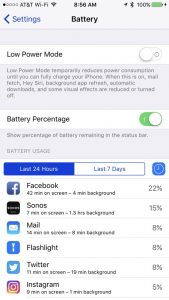
You already likely have a pretty good idea which of your favorite apps are problematic, if any. Check with Instruments if you’re geeky, check with Settings > Battery > Battery Usage if you’re not. Once you’ve narrowed it down, feel free to continue to force quit the few (if any) apps that cause you trouble.
0 Response to "Here’s Why You Still Need to Force Quit Some iPhone Apps"
Post a Comment