Everywhere From ozPDA: Fabulous iOS World Clock Done Right
 World Clocks, like the basic one found in iOS, do require some attention to time zone fundamentals. But they mostly fall short when it comes to the needs of the expert user or traveler. This iOS world clock from ozPDA, Everywhere, fixes all that.
I won’t say it’s simple enough to build a world clock. The amazing World Clock Deluxe for macOS reveals that countries are constantly fiddling with their daylight saving time rules. Gotchas constantly crop up, especially with regard to the U.S. Antarctic program. So, building a world clock with thousands of possible cities requires some care.
That said, there’s a lot more one can do with a world clock app, and Meteorology expert and iOS developer Graham Dawson has done exactly that. In addition to the customary time zone-ordered list of user selectable cities, his app Everywhere 3.0, provides more detailed city information, alarms, the current weather, the weather forecast, and holidays that are specific to that location.
For example, if you were going to visit London on May 1, it would be good to know that that’s a major holiday there, but not in the U.S.
A Closer Look
Let’s take a look at the primary page where I’ve defined my list of cities of interest.
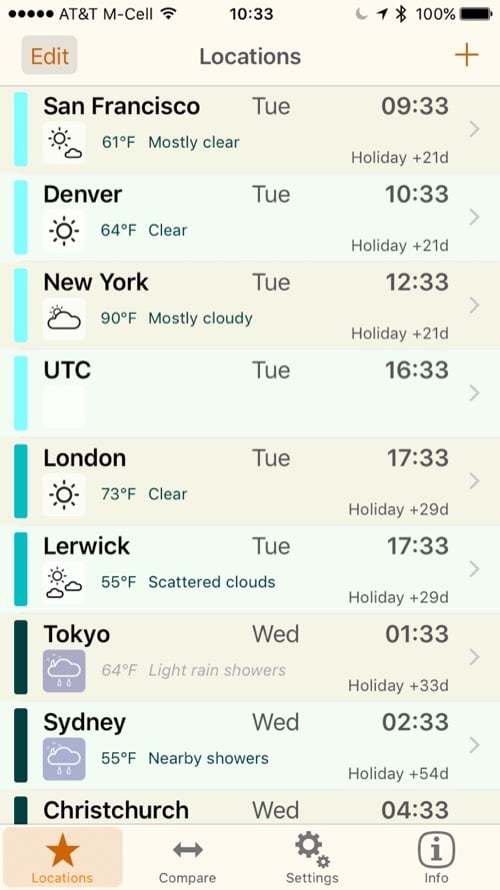
My current list of cities of interest in time zone order.
Notice that each city has a chevron ( “>”) on the right side. That brings up a new page of five tabs.
- Summary
- Alarms
- Holidays
- Weather
- Forecast
This is where the app really stands out. Here’s the holiday list for London in 2017.
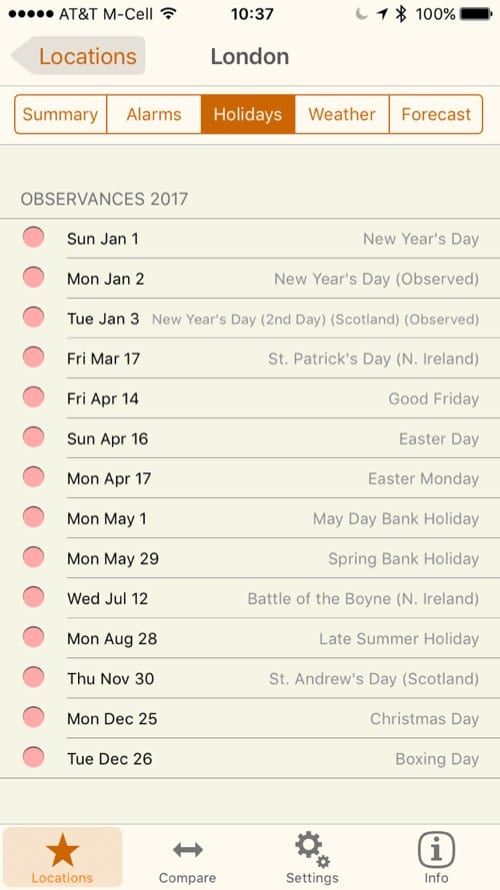
London, & England holidays.
Here’s what the forecast for Denver looks like, as of this writing.
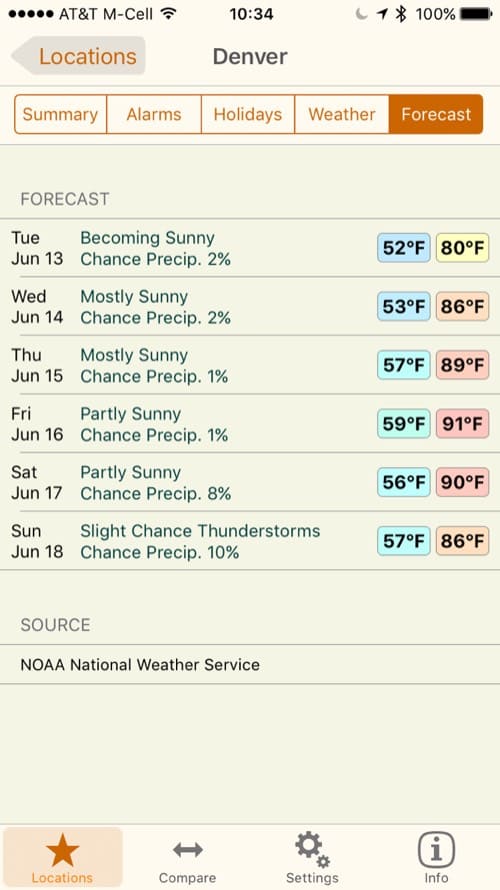
Denver, CO weather forecast
3D Touch
This app doesn’t invoke Augmented Reality like this developer’s Sun Seeker app, but it does make use of 3D Touch. The user can press and hold the app icon to get instant information on your default location. It’s also possible to 3D Touch any Location the app to bring up the Summary data.
Comparisons
A nifty feature, found on the apps main page tab at the bottom is called “Compare.” There, you’ll see a vertical tape for each city you’ve selected and shaded areas to indicate working hours and nighttime. depending on preferences, your location is held fixed and you can slide your set of locations left and right. A thin, horizontal bar shows the current time.
That’s to help you identify that it might be 0900 in Denver as you start your work day, but it’s midnight in Tokyo. Looking at the clocks and the shading, no one will likely be in the their offices in Tokyo until 1800 Denver time. It’s much easier to visualize time zone relationships this way.
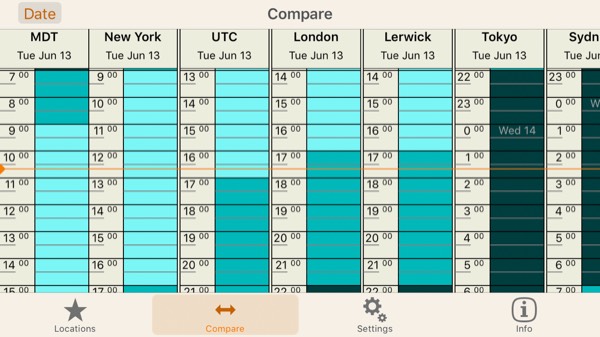
City comparison. A great visualization of relative time across zones.
Settings
Of course, recognizing that this app might be used worldwide, the settings allow the user to define how the cities are organized (say, by time zone, longitude, manually) and whether English or Metric units should be used. And in the Metric units, there are various options for pressure. There are also multiple options for wind speed (including knots).
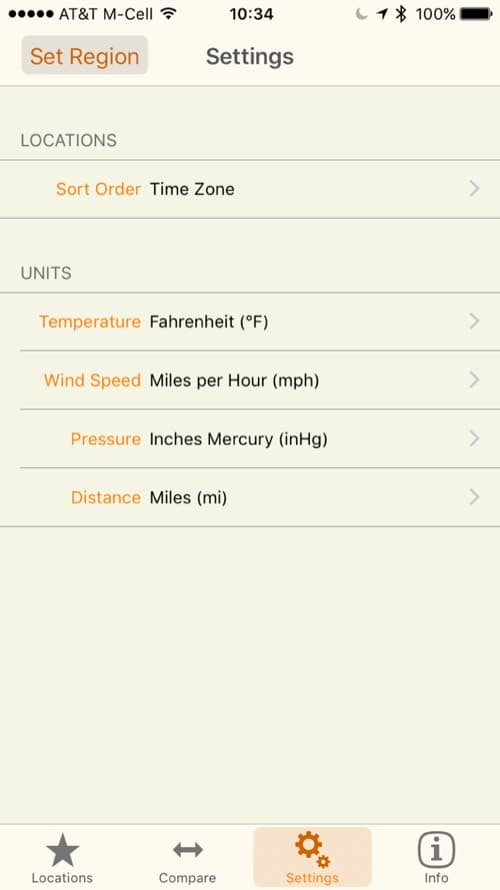
Settings for Locations and units. (If only the U.S. were more metric oriented.)
A Minor Issue
I noted that for the case of Denver, the location for the weather source was based on proximity instead of the official Denver weather site, which is at Denver International Airport. As developer Dawson says, “…it depends on exactly where you pick as being representative of the central point of Denver.” At my urging, the author is looking into this issue. It’s a small thing.
Final Words
This app has been written by a developer who has spent his whole life specializing in time and weather computations. (He has a Ph.D.). His credentials reveal themselves in the attention to accuracy, detail and the proper attribution of weather sources.
As soon as I discovered this app, I loved it. It’s earned a permanent place on “page 2” of my iOS devices. It’s fun and informative. And it takes the ho-hum world clock to the next level. Best of all, it’s reasonably priced at US$3.99. No ads. Agenda free. Pure technical reference. As it should be.
0 Response to "Everywhere From ozPDA: Fabulous iOS World Clock Done Right"
Post a Comment