Exchange Encrypted Emails on iOS With Ease
Privacy and encryption are serious concerns. This is especially true in light of the recent Wikileaks Vault7 release. The government clearly doesn’t believe we should have absolute privacy, since FBI Director James Comey says it doesn’t exist in the United States. We’ve examined some options for encrypted email on macOS. Now, how can we try to ensure the email communications from our iOS devices stay private? Let’s take a gander at a couple of options for encrypted email on the iPhone and iPad.

Email encryption can be done on the iPhone and iPad with the right app. (Image Credit: JÉSHOOTS)
The Built-In App Is a No Go
For whatever reason, Apple hasn’t made it as easy to send and receive encrypted email from Mail for iOS as it is on the Mac. The whole process is cumbersome and often doesn’t work. So, let’s just move on to options that do work, shall we?
Try ProtonMail for Encrypted Emails
One free option for the iPhone and iPad is ProtonMail, a service and free app based in Switzerland. ProtonMail offers end-to-end encryption of all of your email, and it’s easy to use. Emails are stored on ProtonMail’s servers encrypted, and the company can’t decrypt them. AES, RSA, and OpenPGP are used to keep everything secure.
There are several account options for ProtonMail. The free account uses the @protonmail.com domain, has 500MB of storage, and limits you to 150 messages per day. For the Plus account, costing US $4 per month, you get 5GB of storage and can send up to 1,000 messages per day. You can also use your own domain, with up to five email aliases. If you need even more, ProtonMail’s Visionary account is $24 per month. It includes 20GB of storage, up to 50 email aliases, support for up to 10 domains, and no sending limits.
If you use ProtonMail to send to other users of the service, it’s all seamlessly encrypted. When you send to external recipients, you will need to set a password to encrypt the message.
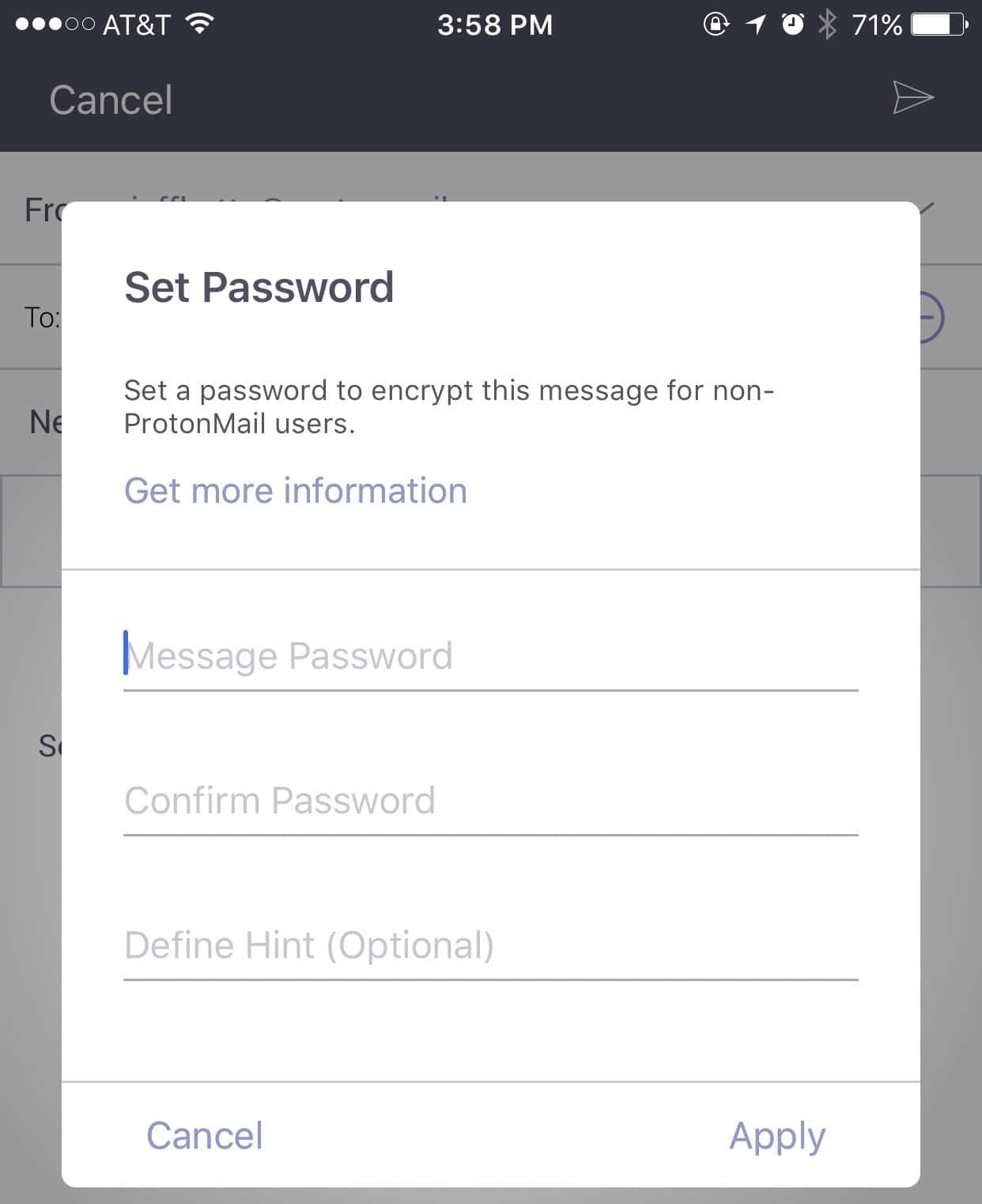
Setting the encryption password in ProtonMail
Your recipient will then get a link emailed to them. They click the link, enter the password, and view the email.

You can retrieve your encrypted email on any web browser
ProtonMail works pretty well, and doesn’t require technical knowledge of keypairs and all of that jazz.
Next: Free Inky and iPGMail
Page 2 – Free Inky and iPGMail
For a Totally Free Option, Try Inky
Another great option for iOS is Inky – Secure Email. The great thing about Inky is that it works with your own email account. Unlike ProtonMail’s free offering, you don’t have to set up a new email for encrypted messages. Once again, you don’t have to manage keys, certificates, or fingerprints. The app does all of that for you. Inky works on the S/MIME standard, using AES–256 encryption to secure your communication.
Inky works a bit differently in how it sends to folks who don’t use the app. Rather than requiring a password, Inky sends the recipient a link to retrieve the email. When they click the link, they’re asked to enter their email address. Another email is then sent to them, with an authorization link they can click on to read the decrypted message.

Inky also displays encrypted emails in the browser, but handles authentication differently
Use Your Own Keys and Certificates with iPGMail
If you already have OpenPGP keys and certificates you’d prefer to continue using, iPGMail is a good option. The app is $1.99 on the App Store, and implements the OpenPGP standard. You can pass your own PGP keys to the app in a number of ways, like from the iOS Mail app or using iTunes file sharing. You can even use AirDrop to transfer key files from your macOS system to iPGMail on your iOS device. Finally, the app will also create your own keypair, if you need it.
The biggest benefit I see in iPGMail is being able to use your existing PGP identity and keys on your iPhone or iPad. The drawback is that you need to know what you’re doing, and manage your own key pairs. If you prefer not to use the stock iOS Mail app, though, iPGMail isn’t for you. The app basically works as a plugin for Mail on the iPhone and iPad. You can, though, copy your encrypted email to the clipboard to use with other apps.

With iPGMail, your encrypted message is easily sent using iOS Mail
Other Options Are Available
These are only a few options for email encryption on iOS. There are certainly others, and maybe you’ll find one that better fits your workflow. These choices can help secure your email, whether you prefer the simplicity of letting the app completely manage your keypairs or having control over that yourself. It’s obvious that we need to take email encryption more seriously, so I hope to see even more clients offer the security.
0 Response to "Exchange Encrypted Emails on iOS With Ease"
Post a Comment