iOS: Easily Print To PDF Emails In Apple Mail
On iOS there is a hidden feature that lets you print-to-PDF any email you want. It doesn’t require a third-party app or another email client. You can do it inside Apple Mail with 3D Touch.
‘Print To PDF’ An Email
To start, open Apple Mail on your iOS device. This works on iPhones and iPads.
- Open the email you want to save.
- Tap the Reply button. A menu will pop up with three options: Reply, Forward, Print. Tap Print.
- You’ll now see a screen where you can select a physical printer over Wi-Fi. But if you 3D Touch the email, it will “pop” into a PDF.
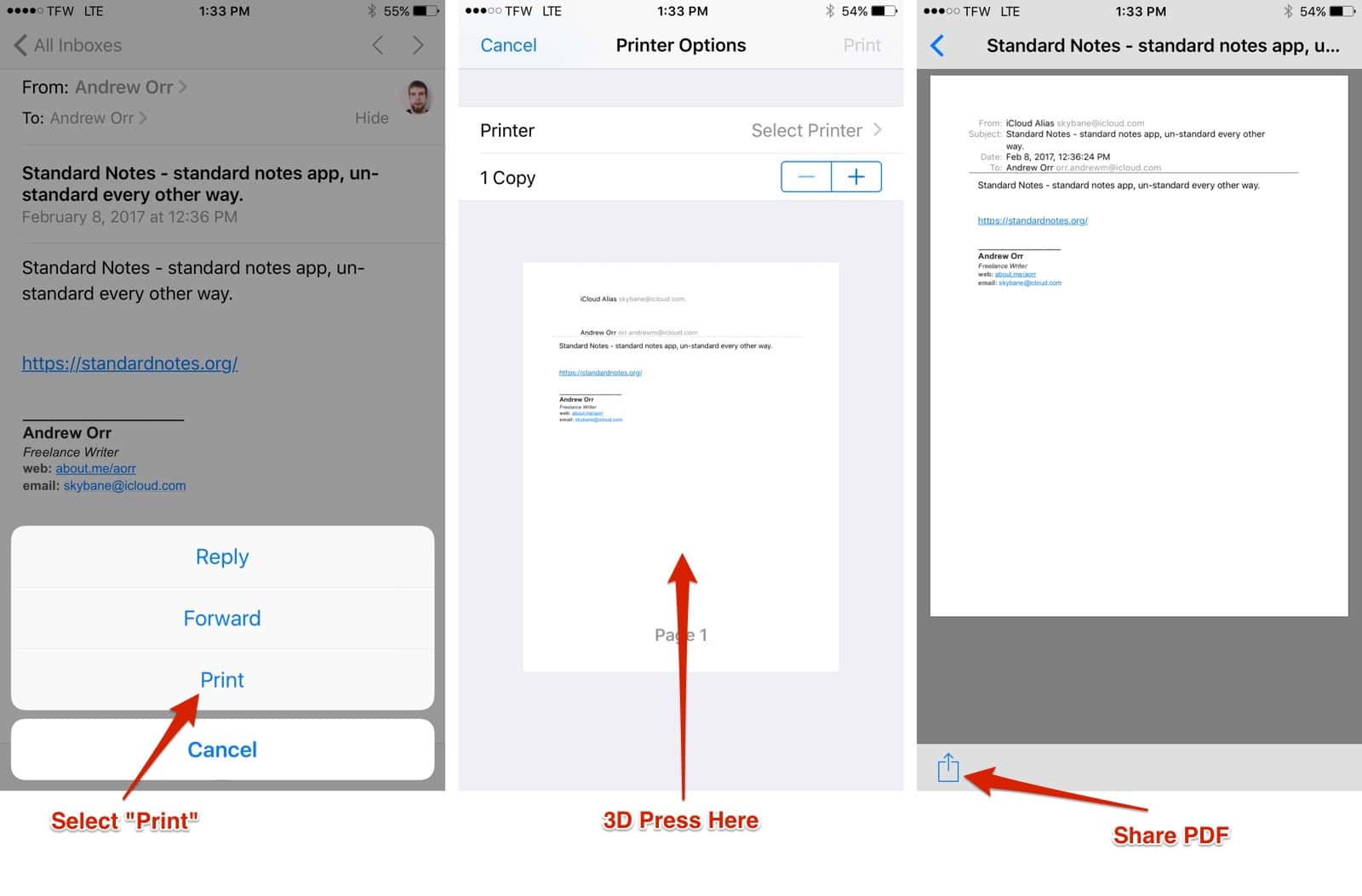
Print to PDF
This works for single page emails and emails with multiple pages. It’s a great way to save email receipts or important emails from VIPs.
0 Response to "iOS: Easily Print To PDF Emails In Apple Mail"
Post a Comment