Use a Password Manager to Store Your Driver’s License and Passport
Storing your driver’s license or passport information on your computer in a text file or as a photograph may be convenient, but it also makes it easier for anyone with access to your hard drive—including hackers—to steal your identity. Modern password managers, like 1Password and LastPass, solve that problem by encrypting your sensitive data and keeping it away from prying eyes.
Encrypted password manager apps can store much more than user logins and passwords thanks to secure note features, and driver’s license-specific categories. In 1Password, for example, you can select the Driver License category to see fields that relate to your state-issued ID.
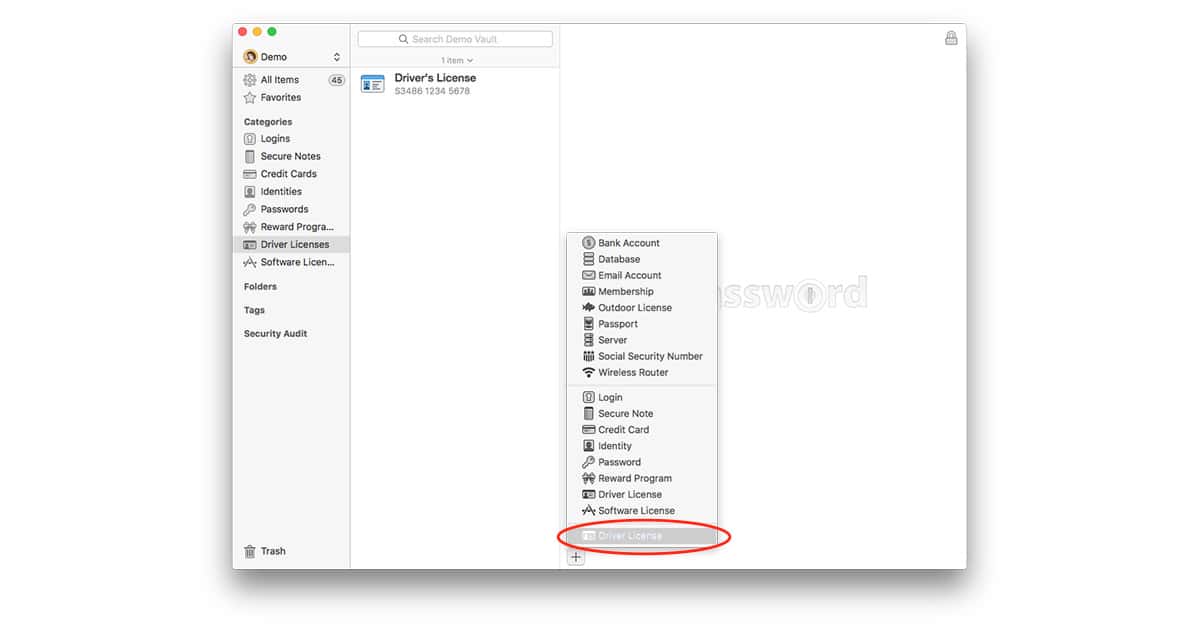
1Password lets you store your drivers license info, along with a photo, in its encrypted database
Adding a photo of your license to the secure entry is pretty easy, too, although there is a catch: The iOS version of 1Password doesn’t let you add images, but the desktop version of the app does. LastPass doesn’t have that limitation.
Encrypted password managers are a great place to store other important records you may need to reference, such as passports, credit card numbers, and vehicle license plate numbers and VINs. Just make sure you have a strong password protecting your sensitive data.
0 Response to "Use a Password Manager to Store Your Driver’s License and Passport"
Post a Comment